How To: Get Apple's RSS Visualizer Back as a Screensaver in Mac OS X 10.8 & Higher
Back in the day when computers relied on CRT monitors, having a static image displayed for too long actually resulted in the image being burned into the screen. For this reason, screensavers were developed, which display animated images in constant motion to prevent burning in when you stepped away from your computer.Advancements in technology, like LCD displays, have eliminated the need for screensavers in the traditional sense. The main reason we use them now is either entertainment or security, though many of us don't use them at all anymore. But you should, because they can do way more than just that.Today, I'll be showing you how to appreciate your screensaver again by adding an RSS feed to it, allowing you to get updates on your favorite news with just a glance of your idle screen. This was once a built-in system preference in Mac OS X Lion and below, but has since been abandoned, so let's get it back for Mountain Lion, Mavericks, and Yosemite. Please enable JavaScript to watch this video.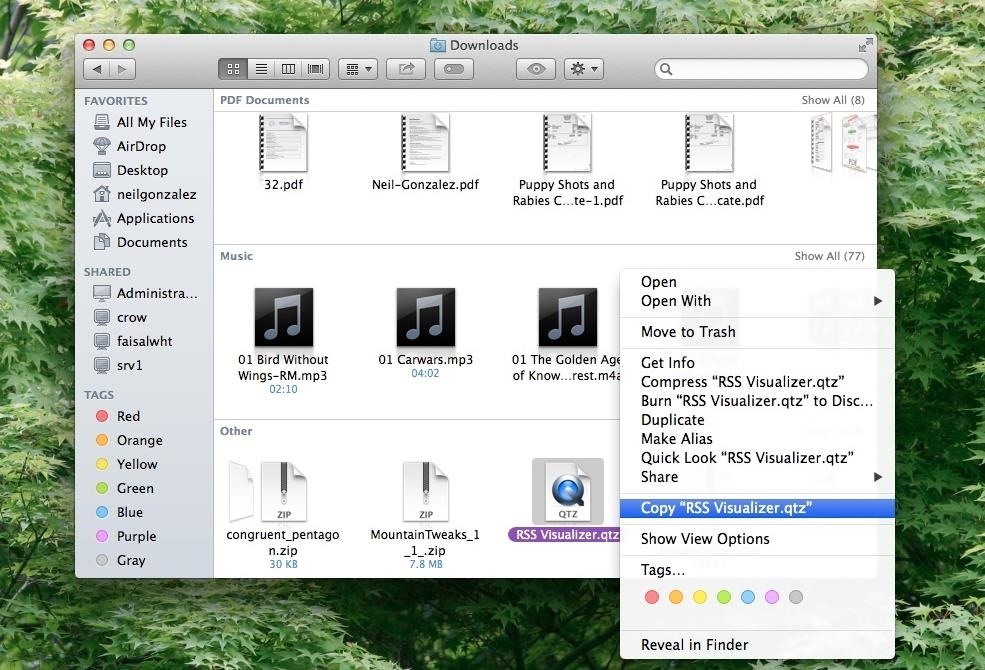
Step 1: Download the RSS Visualizer ScreensaverOn your Mac, download the RSS Visualizer.zip, courtesy of BillyBobBongo (via Cult of Mac). After downloading, locate the file (it should be in the Downloads folder), right-click on it, and copy it.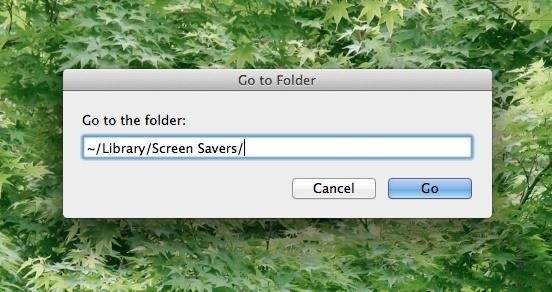
Step 2: Go to the Screen Savers DirectoryNext, on your desktop, press CMD + Shift + G. This is going to let you easily jump to the folder you want.In the window that just popped up, ~/Library/ should be auto-filled in. Then just add Screen Savers/ to get ~/Library/Screen Savers/ and hit Go.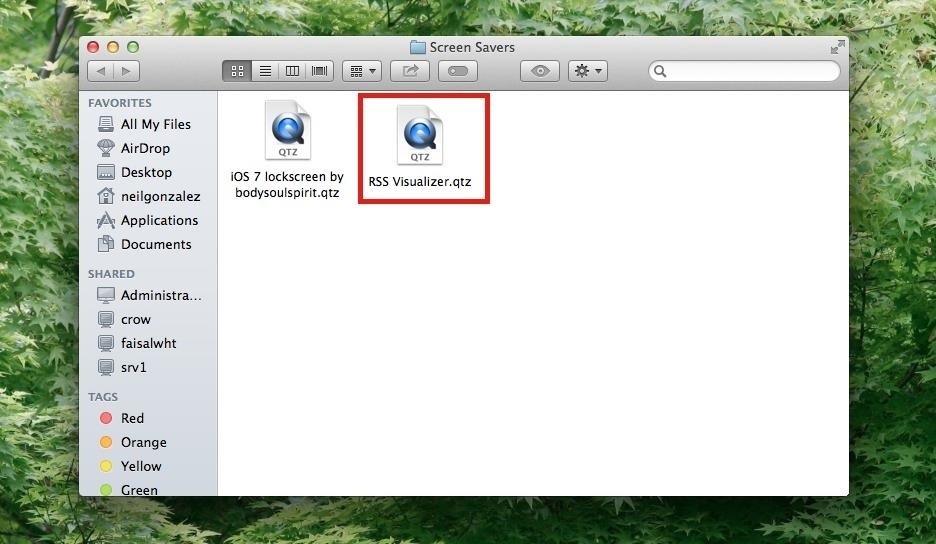
Step 3: Paste in the VisualizerRight-click and paste the file in this location to enable the RSS visualizer option in your System Preferences.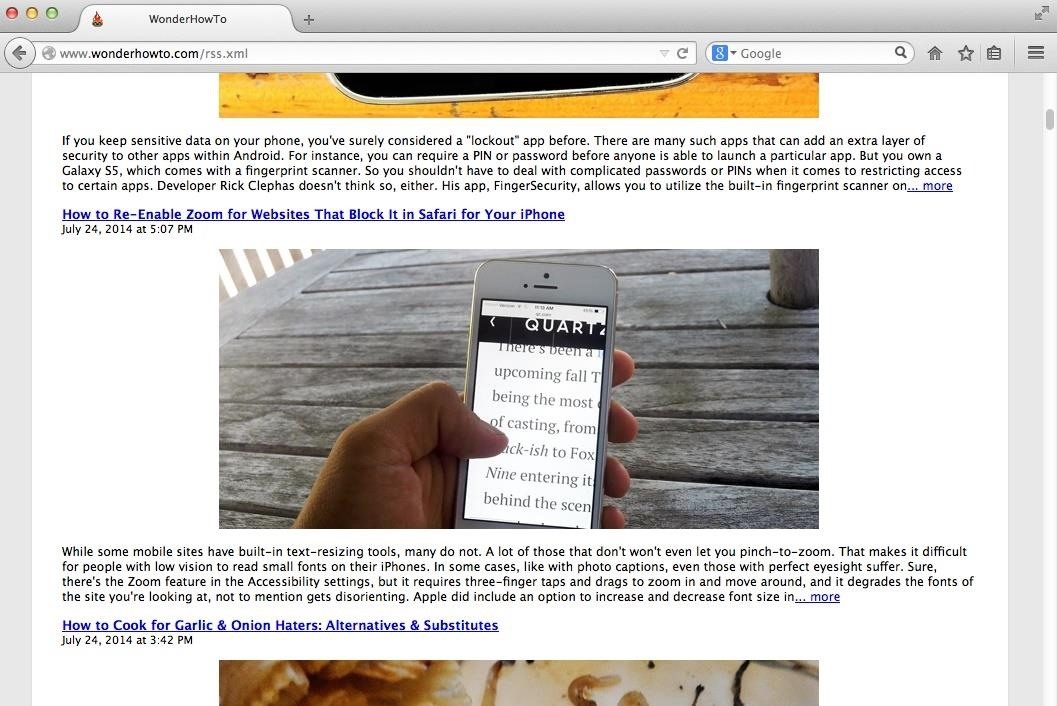
Step 4: Find an RSS Feed URLNow that your screensaver is ready, go ahead and grab an RSS feed URL from your favorite news source. This can be done by either locating the RSS symbol somewhere on the page, or, in some instances, by typing /rss or /rss.xml at the end of the main domain's URL address. For some examples:WonderHowTo: https://www.wonderhowto.com/rss.xml Mac Tips: https://mac-how-to.gadgethacks.com/rss.xml Food Hacks: https://food-hacks.wonderhowto.com/rss.xml iOS Tips: https://ios.gadgethacks.com/rss.xml Example: WonderHowTo's RSS feed.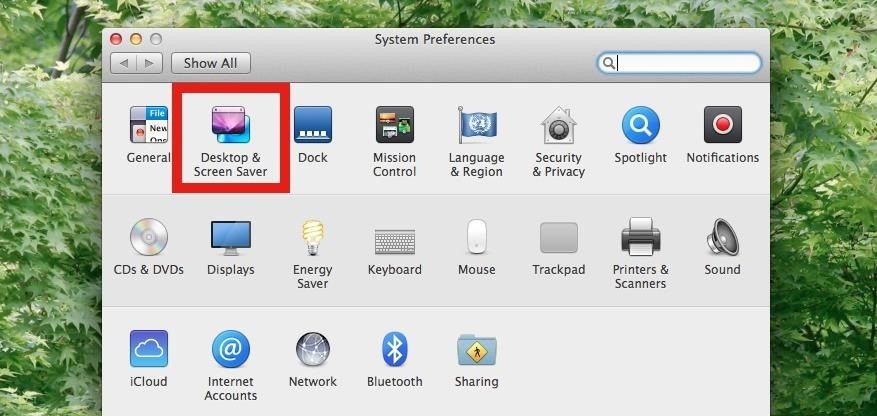
Step 5: Open Up Your Screen Saver OptionsWith your the URL copied and ready-to-go, head into your computer's System Preferences and select Desktop & Screen Saver. Under the "Screen Saver" tab, scroll all the way down, select RSS Visualizer, then click Screen Saver Options.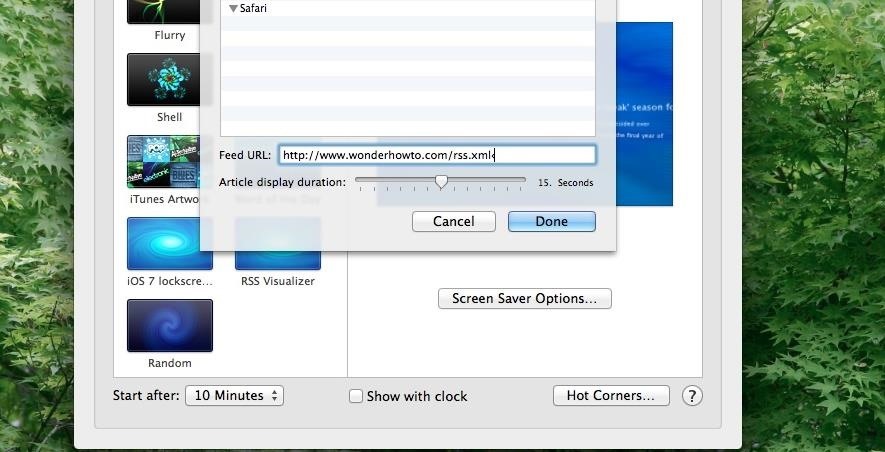
Step 6: Insert Your RSS Feed URLInput your RSS feed in the Feed URL box. You do have the option directly underneath to adjust article display duration, and after setting it, you can view a preview to see how awesome it looks.
Step 7: Enjoy News on Your ScreenThe screen will initially give you the date and source of the feed, followed by floating articles passing by for whatever duration you set. Screensavers may not serve their original purpose anymore, but with an RSS feed, you can add some entertainment and value you to them. Let us know what you think in the comments below.
When you tap on the search bar in Safari on your iOS device, all of your favorite websites show up. Just tap on the one you want to visit and head over to it. Even better, you can quickly add or remove Favorites from Safari on your iPhone and iPad. "Favorites" is one of the most appreciated features in Safari.
iPhone tip: How to rearrange your phone favorites | here's
Nov 29, 2010 · For reasons inexplicable, a "Today I Learned" thread on Reddit has turned into a treatise on how to make Google Translate beatbox for you, among other things. It must have taken some intense
Turn Google Translate into a Beatbox - GTPlanet
How To: Archive files using WinRAR and 7-Zip in Windows XP How To: Password protect a folder on Windows Vista How To: Extract zip archive files with Winrar How To: Open ISO files using WinRAR How To: Download and setup WinRAR compression software
How to Bypass WinRar Password in 2019 - YouTube
iOS 12 Release Date, News and Features . What is iOS 12? Apple's next big iPhone and iPad software update But we also want a smarter keyboard that doesn't autocap and autocorrect randomly.
iOS 13 Rumored to Drop Support for iPhone 6, iPhone 6 Plus
OTT M8 4K Android TV Box - we test out this great new KitKat powered box [Review] - Duration: 10:01. Red Ferret 951,523 views
How To: Save Battery by Mirroring Your Android Screen to Chromecast with the Display Off How To: Hidden Zoom Features in iOS 8 Makes Reading Small iPhone Text Easier for Everyone How To: Enable Chromecast's Screen Mirroring on Any Rooted Android Device Running KitKat
Cast your Android screen from the Google Home app
The software released in the 2015 iterations of the Samsung Galaxy line of devices—the S6, S6 Active, S6 Edge, S6 Edge+, and Note 5—have some pretty neat camera features that give these devices arguably the best smartphone camera on the market today.
How to set a custom ringtone on your Motorola Droid Turbo 2. We will show you through this article how to set a custom ringtone on your Motorola Droid Turbo 2, especially if this ringtone comes from an MP3 file. Even better, we'll show you how to edit your favorite MP3 tracks on your Motorola Droid Turbo 2.
How to Load ringtones from your computer onto your Droid
The buttons on most Android devices are laid out (from left to right) in a Back, Home, Recent Apps format. Samsung is the lone exception to this rule, which flip-flops them, so this can make for an inconsistent experience if you own multiple Android devices.
Swap recents and back soft buttons? | Huawei Nexus 6P
Blogger Harry Andreou of 88bytes has put together a step by step simple tutorial to make a pen to hold your itsy-bitsy PDA stylus. All it takes is a bit of deconstruction and you've got a useful
【ibisPaint】How to make your own stylus pen - YouTube
After years of user complaints, Samsung is finally letting us remap the Bixby button without the need of a third-party app. The new feature requires One UI a simple app update to Bixby, but there's one major downside: Samsung won't let you remap the button to open other digital assistants like Amazon Echo, Microsoft Cortana, and Google Assistant.
Everything You Need to Know About the Samsung Galaxy S7 & S7


0 comments:
Post a Comment