Facebook 101: How to Set Up Your Account to Delete Automatically When You Die
It's time to set your Facebook "Last Will and Testament" straight. Do you want to assign a contact to look over your account, or would you prefer to have all your online memories fade away the minute you die? It's a tough decision, but with a little time, you can set up at least one of these options to ensure that your account isn't left to sit pretty without you for the rest of time.You have two options here: You can either assign a Facebook friend to become your "Legacy Contact" or you can request to have your account permanently deleted after you pass away. A Legacy Contact is a person who can manage your account after you die. Your Legacy Contact will be able to a pin a post on your Timeline, respond to friend requests, and update your profile picture. The contact will not be able to post as you or see your messages.If you don't want to choose a contact to look over your account, then your next option is to choose whether or not you want your account to remain alive after you die. You cannot set up both a Legacy Contact and have your account delete automatically, you must choose one or the other.With these two choices in mind, let's go through the steps below for both iPhone and Android on how to set up either of these options.Don't Miss: How to 'Go Live' on Facebook from Your iPhone or Android Phone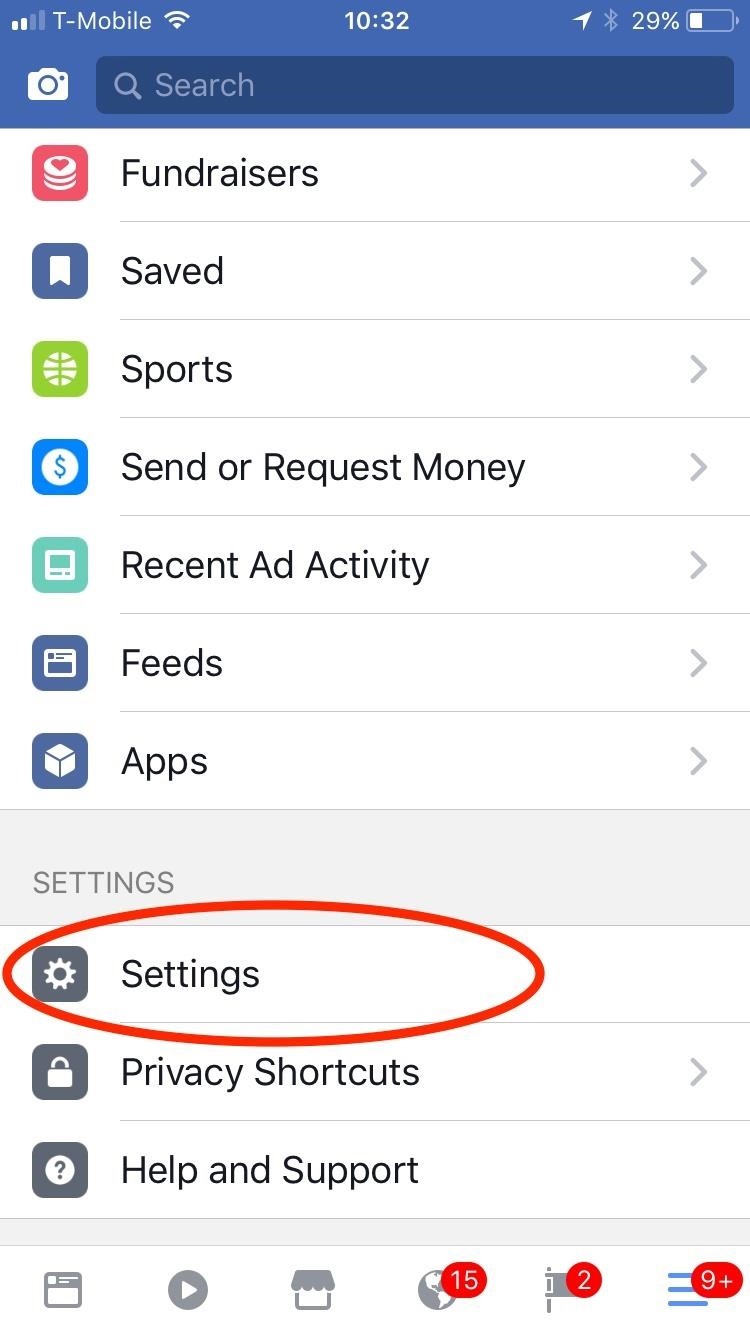
Step 1: Access Your 'When You Die' SettingsIf you're using an iPhone, go to your Facebook app and tap on the hamburger icon. Scroll down and select "Settings," then tap on "Account Settings." From there, tap on "General" at the top, then tap on "Manage Account" at the bottom. At this point, you'll be able to adjust your "when you die" settings. This means you can either assign your Legacy Contact or set up your account to be deleted when you pass. If you're using an Android device, then go to your Facebook app and tap on the hamburger icon. Scroll down to the Help & Settings section and tap on "Account Settings." If you don't see these options, choose "Settings," then "Account Settings." From there, go to "General," then select "Manage Account." This is where you'll be able to set up your Facebook account for when you die. Don't Miss: Turn Your Live Photo into a Facebook Profile Video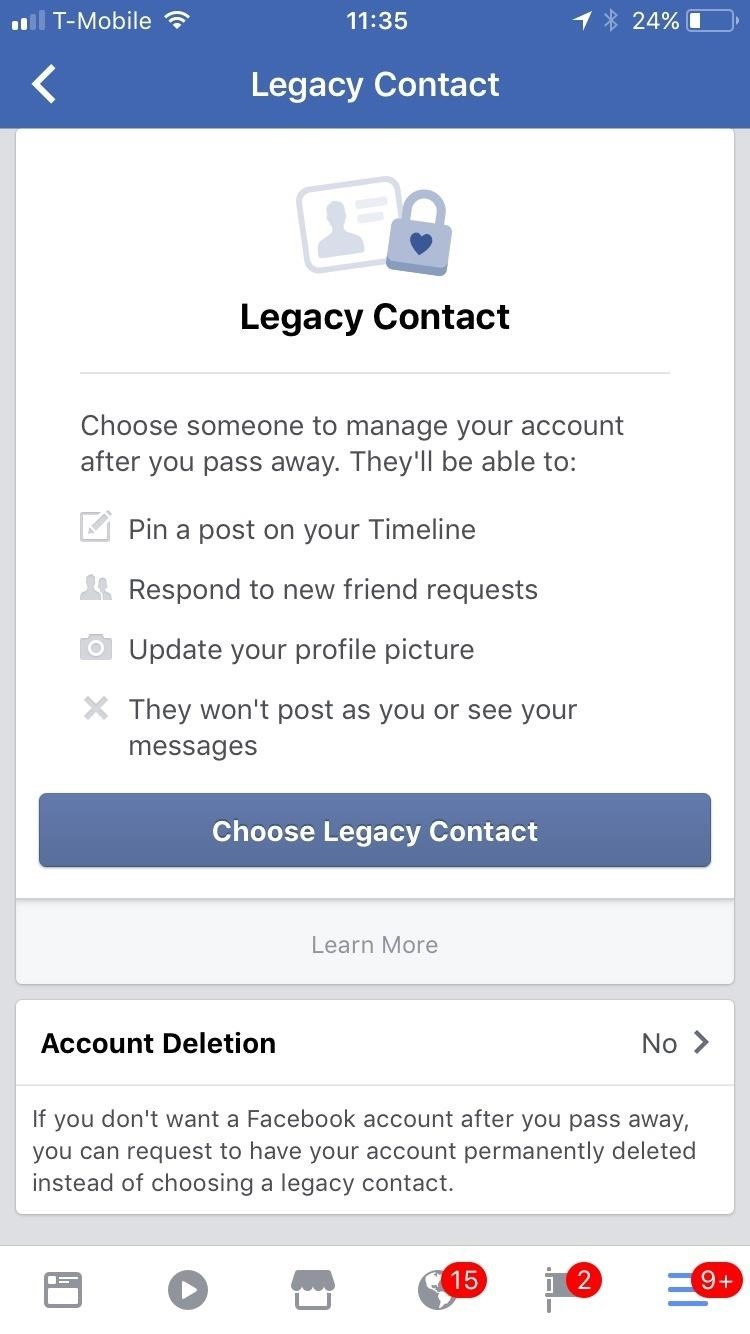
Step 2: Set Up Your Legacy Contact (Option 1)If you choose to set up a Legacy Contact, then the following instructions are the same for both iPhone and Android users.From the Manage Account screen, tap on "Legacy Contact," then select "Choose Legacy Contact." Now, type in the name of the friend you would like to assign your account's responsibility to. When you are done, tap "Done." Your new Legacy Contact will be added. You have the option to message your contact about your decision. Once you decide to send them a notification or not, you will be directed to the next page. From here, you can remove the Legacy Contact or choose to allow your friend to "Data Archive Permission."Enabling "Data Archive Permission" gives your Legacy Contact the ability to download a copy of everything you've shared on Facebook. This could include posts, photos, videos, and info from the About section of your profile, but does not include your messages. Once you've made this selection, you'll be all set.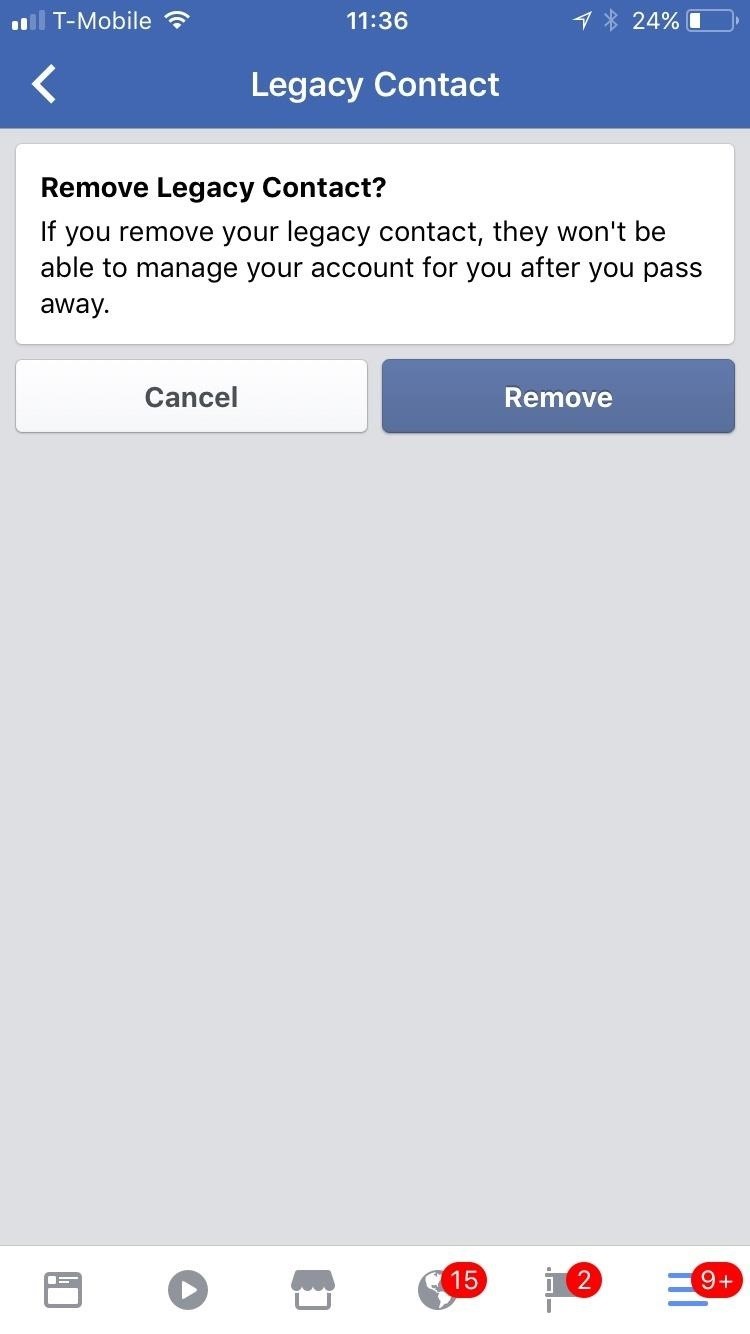
Step 3: Set Your Account to Delete When You Die (Option 2)If you don't want a Legacy Contact, then you can set your Facebook account to "Delete After Death." Again, tap on "Legacy Contact," then under the option to choose a contact, tap on "Account Deletion" instead.If you've already added a contact to manage your account, then you will need to remove that person by tapping on "Remove" under their Legacy Contact info. You cannot have both a contact and an automatic deletion set up at the same time."Account Deletion" will provide you with a couple options. You can either keep your account alive after you die by checking "No, Don't Delete," or you can permanently delete your Facebook account by enabling the option for "Yes, Delete After Death." When you decide, tap on "Save" to set your changes in motion. If you choose to delete after death, then once Facebook is notified of your passing, your account will automatically shut down and no one will ever be able to see your profile again.Follow me on Instagram @b3t.tina to see how I'm currently using these social media tips and tricks to further my own accounts.Don't Miss: How to Upload Photos & Videos from Your Phone in HD to FacebookFollow Gadget Hacks on Facebook, Twitter, Google+, YouTube, and Instagram Follow WonderHowTo on Facebook, Twitter, Pinterest, and Google+
Cover image and screenshots by Bettina Mangiaracina/Gadget Hacks
Get access to helpful solutions, how-to guides, owners' manuals, and product specifications for your Digital Smart Camera (WB1100 Series) from Samsung US Support.
An iOS device compatible with Yalu jailbreak; A computer running Windows/Mac/Linux; Download Cydia Impactor; Download YaluFix IPA file (Mirror will be uploaded soon) How to Reinstall Cydia and Fix all Cydia Errors with YaluFix IPA on iOS 10-10.2 Step 1 Connect your device to the computer. if iTunes starts, close it. Step 2 Launch Cydia Impactor
[Question] Is there a way to reinstall Cydia? : jailbreak
iOS includes several useful tools for displaying how much battery life your iPhone has left, as well as which apps are consuming the most of your battery. However, none of these tools actually tell you anything about your battery's long-term health, which is just as important.
iPhone Battery & Power - Official Apple Support
Polaroid's answer to the masculine-fueled GoPro comes in the form of a tiny family-friendly square, fittingly named the Polaroid CUBE. Starting at a very modest $99.99 , the water-resistant action camera comes in all different colors, shoots HD video at 1080p, allows users to take 6MP pictures, and supports a microSD card of up to 32GB.
How to Record Your Sleep Patterns with Samsung Health — No
If your device is on Android 6.0 and above, you can now install the Launcher, Camera and the Gallery app of Nextbit Robin in your android smartphone. The best part is that it's as simple as installing 3 apps in your device. Let's check out on how you can experience the same. Procedure to Install Nextbit Robin Launcher, Camera and Gallery App:
Quick review: Nextbit Robin camera - Digital Photography Review
Above, Android 4.1.2 with Sense 5.0 (left) and Android 4.3 (right). So, if you want the Quick Settings feature on your HTC One—or any Android device running Android 4.1 or lower—you'll have to use a third-party app like Power Toggles by Painless Death.
Control Spotify Music from an Easy-Access Notification Center
If you are playing from with the musiXmatch app, you can also cast to a Chromecast, turning your living room into a karaoke bar.. Customizing Notifications in musiXmatch. By default, the lyrics popup will overlay on top of your apps, but if you want it to auto-switch to the chat head mode when you leave the Now Playing screen, enable the option from Settings-> Manage Notifications-> Floating
How to Enable the Hidden Facebook Chat and Notifications
You will be using an application called gingerbreak. you will copy to your sd card and install it to your device. Make sure you have USB debuggin turned on w
How to upgrade Android software (Froyo to Gingerbread
How to Trick Apple into replacing your water damaged iPhone
Counterfeit copy of Elvis Costello Live at the El Mocambo. Note the tears around the spindle hole. These are common on counterfeit pressings. Counterfeit records - Counterfeit records are unauthorized releases of any record that are intended to duplicate the original, authorized pressing in order to fool the buyer into thinking that they are buying the genuine item.
Vinyl Options - Pirates Press - 7", 10" 12", Colored
Well, the method is a bit elaborated and maybe a bit unorthodox, to begin with, but it works. Sadly, it works only for the numerical password. Open RAR File without Password with RAR Password Recovery (Best Method) If using Notepad to open password protected RAR file seems too complicated, you can always use a professional, RAR Password
How to Remove Password from RAR File without Software
How To: Use AirDrop to Share Photos, Contacts, & Other Files in iOS 7 News: Use Android's Airdrop-Like Nearby Service to Share Things More Easily How To: Find Your Misplaced iPhone Using Your Apple Watch How To: Share Your Wi-Fi Password with a QR Code in Android 10 News: Project Zero Finds iPhone & Android Open to Bugs in Broadcom's Wi-Fi Chips
How To: Easily Transfer Contacts, Photos & Calendars from iOS
Subscribe to Gadget Hack
How to Turn Your Smartphone Into the Ultimate Spy Tool
Emulators aren't supported natively through App Store installation, therefore the owners of iOS devices need to sideload an emulator first and then install the game inside the emulator. 4 Steps to Download and Install SNES Emulator on iPhone and iPad. Installation for SNES emulator for iOS is not difficult at all, but there are few steps to
How To Install (takes 3 min.)NES Emulator [Free] On iPhone
iPhone Dev team has released a new version of Redsn0w using pod2G's untethered jailbreak, which finally allows iPod touch 4G and iPod touch 3G users to perform an untethered jailbreak. In this guide, we will take you through the step by step procedure to perform an untethered jailbreak on your iPod your iPod touch running iOS 5.0.1 using Redsn0w.


0 comments:
Post a Comment