Snapchat 101: How to Unlock Hidden Filters & Lenses
There's nothing more fun than unlocking a hidden Snapchat filter or lens and beating everyone to that perfect first selfie. So when a new filter or lens comes out, like the current Uganda Knuckles one, it's always interesting to see how things will turn out.You never know when you might turn into a pineapple, a giraffe, or who knows what else. Snapchat is a bounty of laugh-out-loud fun, and with just a couple minutes' time and the right knowledge, you can unlock a number of new filters and augmented reality lenses to play around with.A hidden filter or lens can be found within a Snapcode on the side of a Wendy's cup or in a simple tweet. It can even be hiding in a regular old URL lens or filter link. Snapcode images sort of look like QR codes, but in a Snapchatty way. Unlocking these hidden lenses and filters only takes a few steps, too, so let's get to it.Don't Miss: Keep Snapchat from Draining Battery & Wasting Data on Android
Step 1: Find Some Snapcodes or LinksAs for the question of where you might find special codes that unlock hidden filters and lenses, this will vary. As I mentioned earlier, they're sometimes found on limited edition products and occasionally on websites as either QR-style codes or simple hyperlinks you can tap.An easy thing to do is to visit the Lenses page on Snapchat's Lens Studio website to browse all of the latest world lenses created by the community. As for face lenses and filters, they're usually created by users or companies based on a certain time frame and location at a certain dollar amount.I've also found SnapCata to be a great resource for custom filters and overlay lenses, so don't be afraid to check them out there. Disney has also been known to scatter Snapcodes throughout its theme parks, and Game of Thrones had a promotional lens when the last season came out, so you should always be on the lookout for new filters and lenses, as they may not last long.Don't Miss: 5 Hot New Snapchat Lenses to Try Out Right Now
Step 2: Open the Snapcode or Link in SnapchatCertain lenses and filters can be unlocked by simply opening a hyperlink on your phone. Using the Uganda Knuckles one as an example, you could simply tap the link, then your Snapchat app would open, and you'd immediately be prompted to unlock the new filter or lens. For some other examples, you can try out Samba Knuckles, Legend of Zelda, To Be Continued, and Waluigi.Instead of tapping a hyperlink, you can always scan a Snapcode inside the Snapchat app. Open up your Snapchat app and make sure the app is using your rear-facing camera. If the image on the screen is your gorgeous mug instead, tap the camera icon in the top-right to swap the view. Make sure the Snapcode is in front of your phone and tap it once to put it in focus. Next, long-press on the Snapcode in your viewfinder until your phone recognizes it.For some to test out, try scanning Uganda Knuckles or Samba Knuckles. If you don't have a link to tap on and don't want to use your camera to scan a Snapcode, you can also just save the Snapcode image to your default photos app to scan inside the app. Afterward, in Snapchat, just tap on your profile icon, tap the settings cog, then choose "Snapcodes" from the list. Next, tap "Scan from Camera Roll," select the image, and it will scan the Snapcode right away.
Step 3: Unlock the Hidden Filter or LensWhether you tapped a URL link or you scanned a Snapcode using your camera or from your default photo gallery, you'll see a "New Lens Found!" or "New Filter" message pop up with its icon, name, and creator. Tap on "Unlock" or "Unlock for 1 hour" (or another time frame) on the "News Lens Found!" message.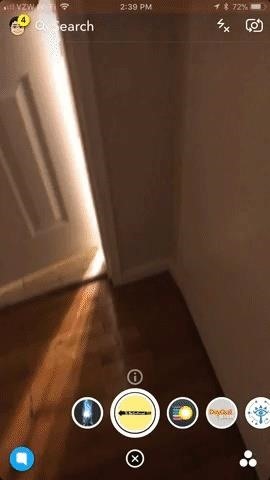
Step 4: Try Different Ones & Have FunOnce unlocked, try out new lenses and filters by going to your camera in the Snapchat app. Long-press on the screen until your filters and lenses pop up. The ones that you added most recently will appear first, but if they're not right there, they should be after swiping to the left a little. Now, follow the instructions on how to use the new filter or lens, if included (most are pretty intuitive). Since most all filters and lenses expire after a short time period, you will have to repeat this process above to try out the same filter or lens again. Instead of doing that, you could share the URL link with yourself somewhere for safekeeping, or you can simply go to your "Snapcodes" section in the built-in settings, then tap "Scan History" to see everything.Don't Miss: How to Share Custom Snapchat Lenses & Filters with Friends That Won't DisappearFollow Gadget Hacks on Facebook, Twitter, YouTube, and Flipboard Follow WonderHowTo on Facebook, Twitter, Pinterest, and Flipboard
Cover image, screenshots, and GIFs by Brian Lang/Gadget Hacks
Unless you own a Samsung device, your Android's navigation buttons have probably always been in this order (from left to right): "Back," "Home," "Recent Apps." But depending on which hand you use to hold your phone, this may not be the most ergonomic layout for you.
Swap the 'Back' & 'Recent Apps' Keys on Your Nexus 6P [How-To
MyCanvas prints your Ancestry family tree as posters in a variety of styles and sizes, starting from $14.95. To print your tree from MyHeritage, select the Family Tree tab and find Print Charts and Books - family trees are available starting at $30.50. Printing from software. Most genealogy software programs also allow you to print your
How do I print my entire family tree on one page online?
Fast and Easy WiFi Setup. When you order a hotspot through FreedomPop, the first thing you'll appreciate is the low cost shipping. You're charged about $9.99 to get your device.
FreedomPop's Free Wireless Would Be Cool If It Wasn't So
techland.time.com/2013/06/05/freedompops-free-wireless-would-be-cool-if-it-wasnt-so-shady/
FreedomPop, a company that sells wireless hotspot devices with free mobile data, is planning to offer a full-blown cellular service with free voice calls and text messages this summer. According to AllThingsD, FreedomPop has been amassing a pile of refurbished phones that once ran on Sprint's 4G
FreedomPop Turns On Unlimited Wi-Fi Across The US For $5
How to Fix iOS App Stuck at Loading or Installing on iPhone
I'm all about saving time. If there's a quicker way to do something, I'm going to find it. For this reason, whenever I need to search through old emails or compose new ones in Gmail, I do it directly from Chrome's address bar, or as Google likes to call it, the omnibox—and you can, too.
Compose Emails and Search Your Gmail Inbox From Chrome's
Google announced Android Auto at Google I/O in 2014, but it took another year before you could actually get it in a car. Android Auto is now supported by various auto manufacturers and makers of third-party multimedia head units. The screens come in different shapes and sizes, and the hardware buttons vary.
Google Rolls Out Wireless Android Auto, but Almost No One Can
On its website, iPhone Unlocking Ltd. details that its latest iPhone Unlock software is compatible with all firmware and IOS versions. This website guarantees that the breakthrough software does not result to any loss of features or functionality, and charges zero on roaming calls.
How to: Jailbreak and Unlock iPhone 3G/3GS Using - iMore
To celebrate the Harry Potter prequel that's still out in select theaters, Fantastic Beasts and Where to Find Them, Google Assistant has a few Hogwarts-style voice commands that let you control your Android device like magic. To try them out, just say "OK Google," then cast the following spells:
Turn Your Phone into A Wand Using Google Assistant's Voice
Samsung is all set to launch the Galaxy S9 and Galaxy S9+ in a new color variant. The flagship smartphones from the South Korean company have appeared in Burgundy Red color. The pictures of the
Samsung beefs up the Galaxy S9's color pallet with red and
Barnes & Noble Update Disables Root Access for Nook Tab; Here's a Fix. The latest firmware update from Barnes and Noble for the Nook Tablet (version 1.4.1) disables the ability to sideload apps
How to Use the Barnes Basal thyroid test - WonderHowTo
A software called RSD Lite which is used to flash multiple Motorola devices with multiple flashing methods. Version 5.6 or above is recommended; Download fastboot files for your Droid RAZR from following XDA posts.
Motorola Droid Turbo 2 Google FRP Lock Bypas… | Motorola
Perhaps one of CyanogenMod's greatest features was its built-in theme engine. It wasn't perfect, but it got the job done and gave users a unique look. Now that CyangenMod is defunct, and the developers behind its successor, LineageOS, have confirmed they won't be continuing the theme engine, users have to find another way to theme their devices.
How to Theme Android Device using Substratum | Beebom
News: 10 Photography Tips for Mastering Your Camera Phone How To: Block Phone Calls More Efficiently & Conserve Battery on Your Galaxy Note 3 How To: Get Android 9.0 Pie's New Ringtones & Notifications on Any Phone How To: Get the Galaxy S9's New Ringtones & Notification Sounds on Any Android Phone
4 ways to turn off annoying notifications on your Android
BlackBerry unveils the DTEK50, the 'world's most secure' Android smartphone many of which debuted alongside the Priv last November. One is the Hub, an aggregator of unread emails
BlackBerry's PRIV Secure Smartphone Powered by Android Now


0 comments:
Post a Comment