News: Google Authenticator Is NOT the Best 2FA App Anymore
If you want the best two-factor authentication app out there, our pick is Authy. A close second is LastPass Authenticator. If neither of those is to your liking, try Duo Mobile or Microsoft Authenticator. But if you're fine with missing out on great features, then and only then should you look at using Google Authenticator.While Google Authenticator is one of the most popular 2FA apps on both mobile markets, it has been living off its good name for a while now. No longer is its well-designed interface enough — the competition has not only caught up, but surpassed Google's app. For four main reasons, when it comes to two-factor authentication apps, you should look elsewhere.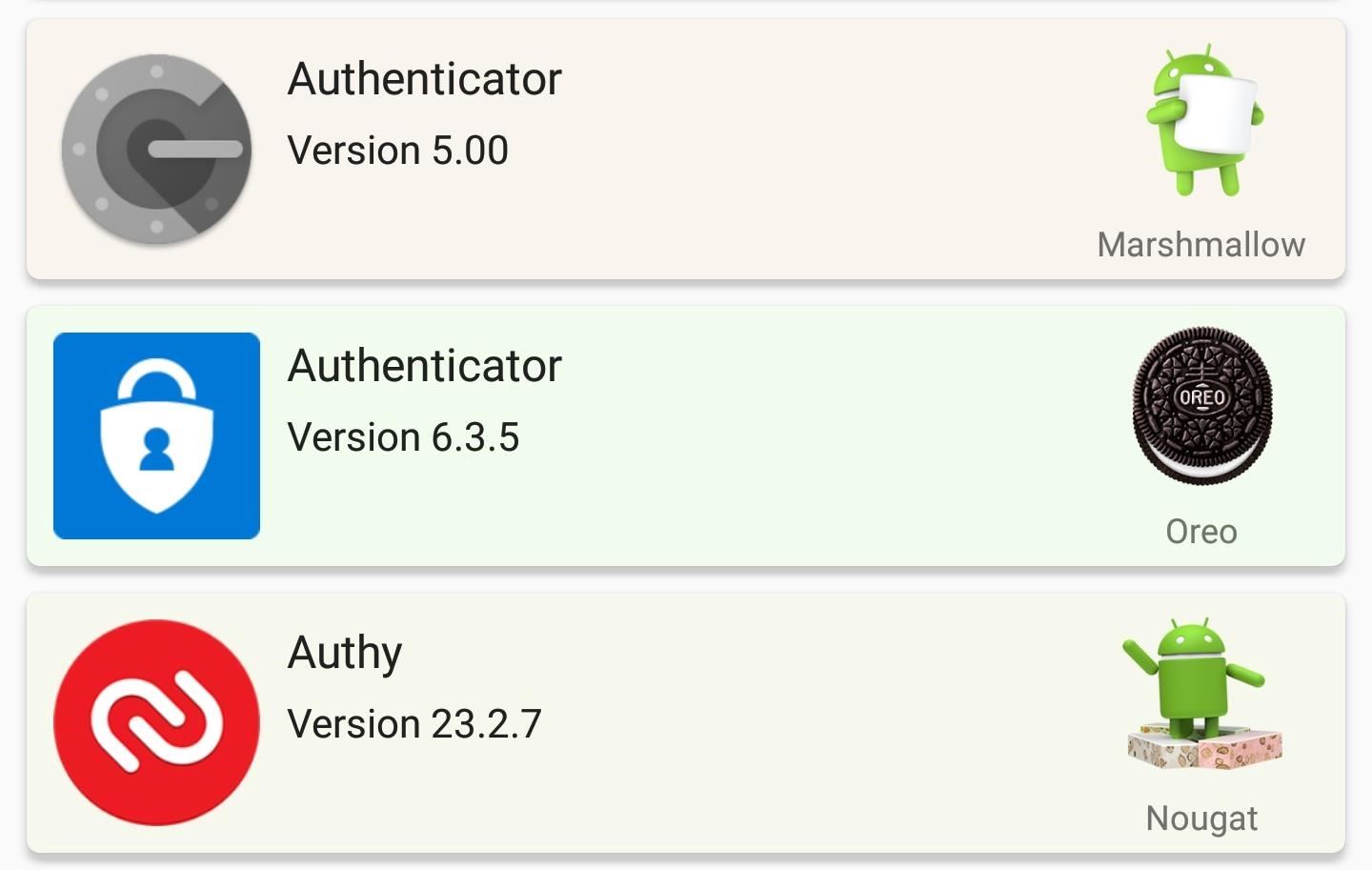
1. It Hasn't Been Updated in More Than a YearWhile software doesn't have a lifespan in the same way humans do, it does expire. This expiration date occurs when the developers stop supporting it, a sign that they are moving on to bigger and better things.It appears Google Authenticator is reaching this period based on its update history. On Android, the app hasn't been updated since September 2017 — compared to Authy, which received an update the day before I wrote this. And on iOS, Google Authenticator is even, worse with its last update on February 2016.Without updates, bugs aren't fixed and vulnerabilities aren't dealt with. Features aren't added, and changes to the design and other tweaks are never addressed, despite outcry from the public (see how Google Authenticator looks on an iPhone X, for example). Google Authenticator's limitations will probably not be addressed anytime soon, leaving it constantly behind the competition. Despite being a Google-developed app, Authenicator is targeting a lower version of Android (6.0 Marshmallow), than its competitors.
2. You Can't Back Up the DatabaseI personally ditched Google Authenticator after I decided to switch my phone. As I got the new phone ready by transferring all my messages, call history, and other data, I soon learned that all the accounts I set up tokens for couldn't be transferred to the new phone. A quick Google search revealed to me the sad truth: I had to redo all the accounts on the new phone. After my second phone switch, I decided to switch to Authy, and I have never looked back.Privacy advocates argue that Google's avoidance of cloud storage improves security since it can be compromised. However, there are security measures in place (namely encryption) to protect the database, so it's mostly a moot point. Additionally, the convenience far outweighs the risk potential.Google could have at least let you save an encrypted backup locally that was transferable and protected using a passcode, but the fact that there is nothing in the form of backup is a poor design choice. If you lose your phone or it is stolen, you can't access any of the accounts with 2FA protection unless you contact each site's technical support.Compare this to 2FA apps such as Authy, Duo Mobile, and LastPass Authenticator which let you save encrypted backups and use them to set up new phones. Authy and LastPass Authenticator even let you sync the database across multiple devices in case you want your database on two or more devices (such as your smartphone and tablet).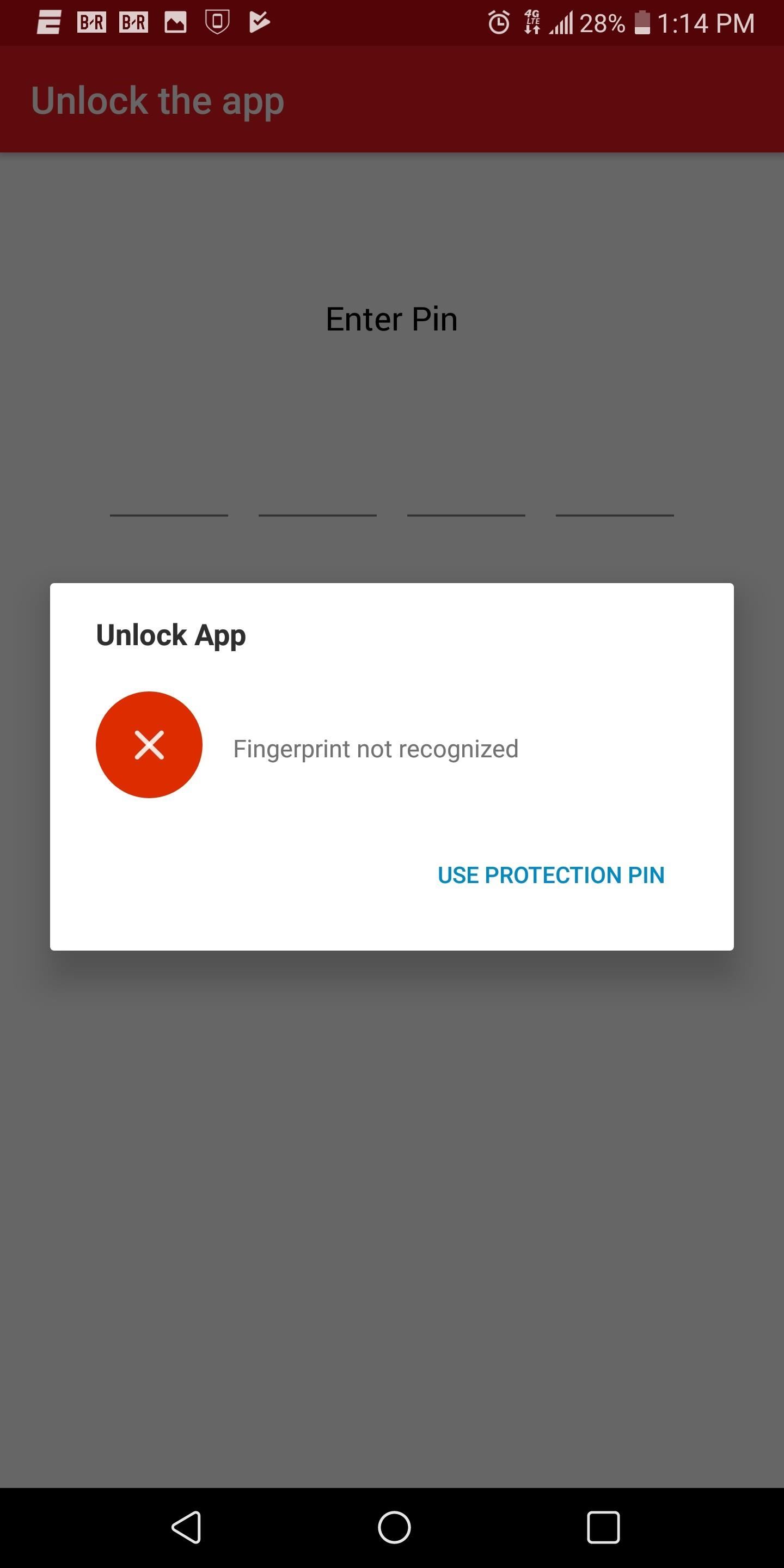
3. There's No Passcode ProtectionWith 2FA acting as your second line of defense, you would think Google would include some way to protect the database of tokens stored in Authenticator. While phones do come with a lock screen that can be passcode protected, there are lock screen bypass hacks for both Android and iOS out in the wild. Without individual protection for the app, someone could use the unprotected Google Authenticator app to access your accounts (along as they know the account password) and the data within them.Authy and LastPass Authenticator let you set a PIN code to authenticate the user before the app can be opened. And for convenience, you can also use the fingerprint scanner (Touch ID for iOS) or Face ID (only on iOS) to unlock the database as well. This security measure shows that Google Authenticator's competition recognizes the importance of these codes and how they need to be protected with the same urgency as your passwords.
4. Authy & Duo Mobile Are Better with 3rd-Party SitesWhile Google Authenticator has been considered the standard for 2FA support for years, it is no longer the best. Most of the competition have the same widespread support, being able to provide tokens to any website supported by Google Authenticator. However, Google Authenticator has also been surpassed in some ways as well.Apps such as Authy and Duo Mobile offer better support for social media websites and third-party services. Combine this with the fact that these two apps support the same sites as Google, and you see how using Google Authenticator makes less sense.Even though, at the time of this writing, Google Authenticator is the number two free tool on the Play Store, it is undeserving of its popularity. We've come to expect more because the reputation of Google and its apps. But Authenticator looks to be on its way out, and right now, you are far better off using Authy, LastPass, or pretty much any other option for your 2FA needs.Don't Miss: The 5 Best Two-Factor Authentication Apps for iPhone & AndroidFollow Gadget Hacks on Facebook, Twitter, YouTube, and Flipboard Follow WonderHowTo on Facebook, Twitter, Pinterest, and Flipboard
Cover image and screenshots by Jon Knight/Gadget Hacks
You must have seen some expensive mp3 players and CD players which have LEDs fixed on them and they dance to the tune looking really pretty. Imagine you could make your own LEDs and configure them to dance to Daft Punk or Swedish House Mafia.
Step 1: Making the LED lights dance to your music | Hobbyist
Now, let's take that principle and apply it to your air conditioner. I've explained how air conditioners work in a previous article, collecting heat from inside the house and dumping it to the air
How to Fix a Wobbly Ceiling Fan: Ceiling Fan Repair
Ya, tidak ada yang pernah menganggap BlackBerry sebagai platform game, tetapi dengan aplikasi kecil berbasis java ini, bernama MeBoy, Anda dapat menjalankan Gameboy Advanced ROMS di ponsel cerdas BlackBerry Anda.
BB Playbook Tutorial #22 How to Install Gameboy Advanced
How to Turn off the Firefox URL suggestion feature « Internet
Because I compared some Spotify songs with songs I own that I have tagged with ReplayGain tags and 89.0 dB target volume. These pretty much have the same volume as their Spotify counterparts with Spotify normalization enabled. But I think my local MP3s sound a little better than the 320 kBit Spotify streams, in general.
Why Spotify's 'set the same volume level for all tracks
productionadvice.co.uk/spotify-same-volume-setting/
For casual "shuffle" listening, you can enable Spotify's 'set the same volume level for all tracks' option - and put up with some pretty crass limiting on more dynamic material, unfortunately. If you want to listen to a whole album with the internal dynamics intact and no extra limiting, you can disable it.
Spotify Lowers Normalization Level - meterplugs.com
Embedding a video from YouTube in your website is quite simple these days. In this tutorial we'll show you how to do it, and how to use the more advanced embedding features that YouTube now provides to web developers. Updated with YouTube's new iframe embedding functionality.
How to Embed & Customize a YouTube Video for Your Website
How to Hack Your Boyfriend's or Husband's WhatsApp Easily Using iPad; How to Hack Your Boyfriend's or Husband's WhatsApp Easily Using iPad. How To: The Easier & Better Way to Control, Track, & Locate Your Lost or Stolen Samsung Galaxy S3 Remotely1 Answer 110 Jan 2013 .. If you've ever lost, or had your phone stolen, you know how difficult it can ..
How to Trigger Anything from Anywhere with Just a Phone Call
I came across a vintage ITT telephone handset on a recent trip to Weird Stuff Warehouse in Sunnyvale, Calif. The instant I saw it, I knew exactly what to do: stick the guts of the Bluetooth headset inside and create a retro Bluetooth handset!
How to make Retro headset -Radiation free headset - YouTube
If you're interested in building your own Newstweek device, check out the detailed how-to on their site. With a little dedication and technical know-how, you can easily pull off this hack.
How to Make a working wire tracer with spare parts « Hacks
How To: 11 Clever Candy Wrapper Crafts You Can Do After Binging on Halloween Chocolate How To: It's Raining Sweets and Treats! How to Make Your Own Pneumatic Candy Cannon How To: DIY Tin Can Cookie Cutters from Recycled Tuna Fish Cans How To: Can deer meat News: Hey :P
Beat the Heat for Cheap with These Five DIY Sprinklers
The complete steps to taking a screenshot of a window in macOS without a drop shadow are: Open the window you of which you want to take a screenshot. Press Command+Shift+4 on your keyboard (or Command+Shift+Control+4 if you want to save it to the clipboard). Press space bar. The cursor will change from a crosshairs to a camera icon.
How to take screenshot on Mac without drop shadows


0 comments:
Post a Comment