How To: Reduce Eye Strain When Using Smartphones
The smartphone has become one of the basic reasons for sore eyes. If you are addicted to your beloved smartphone, there is a fair possibility that your eyes will be paying off its expensive price. If you use your smartphone, tablet, laptop or any other similar gadget consistently, you may experience tired, dried, itchy eyes and also severe headache. Your vision can also become blurred by the time, which it means it is affecting your eyesight. However, you can lower down your eye strain by making few small modifications and adopting some habits while using your smartphone.Here are some of those tips that will help reduce your eye strain.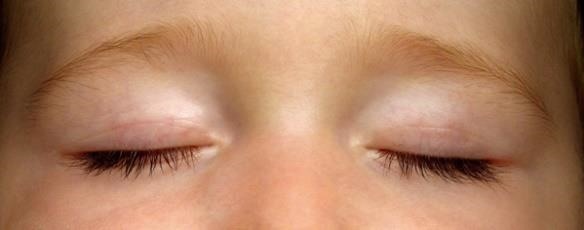
Blink More Often:Blinking keeps your eyes moist. When you are staring at your beloved smartphone's screen, you tend to blink your eyes lesser as compared to other normal situations. This makes your eyes dry and you experience irritation. Thus, blinking your eyes more often and longer will help you keep your eyes moist. Consequently, you will not experience much irritation and will also be able to focus better.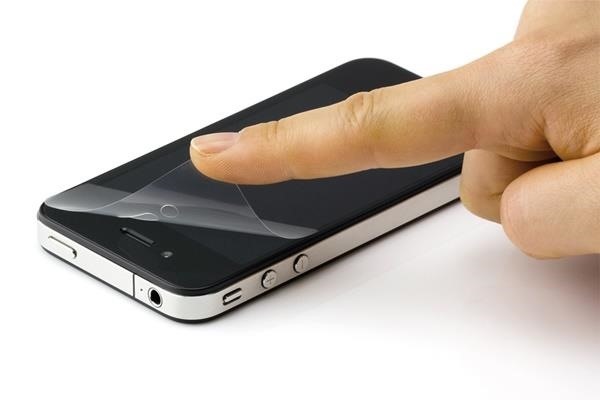
Use Anti-Glare Protectors:If your smartphone does not have corning gorilla glass, then you should use an anti-glare screen protector. Slapping an Anti-glare screen protector on your screen will surely comfort your eyes as it controls the irritating caused by reflective glare that often strain your eyes. Moreover, these protectors do not only protect your eyes, but, also protects your screen from damages.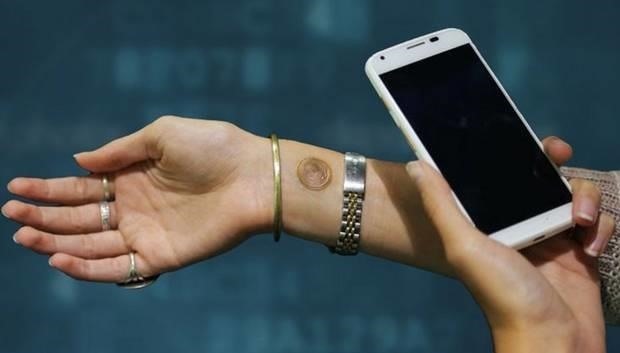
Take Small Breaks:Use the 20-20-20 technique. Have you heard about this? If not, then you will learn it now. You should take 20 seconds break after every 20 minutes while using your smartphone and see something that is at least 20 feet away from you. This might feel odd to you, but, your eyes will feel really relaxed as the muscles of your eyes will get some rest. It is an effective way to get rid of eye strain.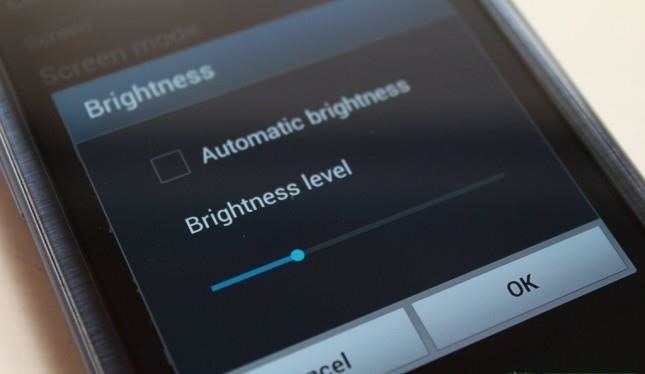
Lower Down Your Brightness:Both, a too bright screen or a too dark screen, is harmful for your eyes. You need to maintain the right balance. To adjust brightness, go into your smartphone settings and regulate it from there. The brightness of your smartphone should be around the level of light around you. Moreover, if you keep your brightness at its optimum level, it drains out your battery quickly.
Font Size and Wallpaper:Some people tend to keep the font size too small, maybe to fool the snoopers. However, keeping the font size small puts pressure on your eyes. As a result, you will be able to avoid eye strain. Moreover, keep such a background that on which you can easily read the text and do not have to put more focus. There are patterns on the wallpaper or background on which reading texts is tough.
Keep Your Smartphone at a Distance from Eyes While Using:Holding your phone too close to your eyes while using, definitely puts extra pressure on them. As per a survey, people tend to hold their precious phones as close as 8 inches from their eyes. Whereas, as per the experts, a healthy distance between your eyes and your smartphone is about 16 to 18 inches. This distance will put much lesser stress on your eyes.
Conclusion:Adopting these practices will keep your eyes and vision healthier. Your eyes will feel less strain and you will enjoy using your dear smartphone even more.Kindly give us your feedback about the techniques we have discussed to reduce eye strain when using your smartphone in the comments section below. If you want to stay updated with the latest happenings in the tech world, follow Gadget Hack on Facebook, Google+, and Twitter.
Check if you have AppleCare+ by entering your iPhone serial number. If your iPhone has any damage that impairs the replacement of the battery, such as a cracked screen, that issue will need to be resolved prior to the battery replacement. In some cases, there may be a cost associated with the repair.
iPhone battery health: How to check it on your own - CNET
Please do. Such an ability is the basic tenet of a white-list strategy per user. This is going to be a mandatory concept for parents of young children who should only be dealing with a short list of certain websites (wixie.com for school projects, learning sites, etc.) I'll be investigating other 3rd party "net nanny" style utilities now.
NetNanny image search block. How to? - Experts Exchange
Now, there are hundreds of screen mirroring apps for Android through which you can display Android on your PC. Tap into this article and get rid of all the hassle of picking up phone, again and
How to Mirror Android Phone Screen to Windows 10 PC (8 Ways
F ew days ago YouTube became more 'bloated' with a new feature. The gray autoplay bar! Most of you guys must have noticed it, It is horrible and set Autoplay to "ON" by default; You have to turn it off everytime.
How to Use Mozilla Firefox Adblock to Block Annoying Ads on
Apple's Ditching the 'Do Not Track' Option for Safari in iOS
How to Install and use Opera Mini on an Android phone
This will populate all games installed on your computer on your iPhone; Tap on a game to play it! As I said before you'll need to make sure the game has controller support because you obviously won't be using a mouse and keyboard with your iPhone to play a game. I recommend that if you plan on using this regularly that you invest in a
How To Play PC Games on Your iPhone for FREE! - YouTube
News: Use Android's Airdrop-Like Nearby Service to Share Things More Easily Facebook Messenger 101: How to Hide Your 'Active' Status to Go Incognito Online Instagram 101: How to Share Posts & Stories to All Your Close Friends' Feeds Only
Select All Contacts with Just One Tap in Snapchat's Android
Chrome, like many others apps on Windows 10, makes some changes to the Windows registry when you install it. These changes are essential for Chrome to run. The browser has a neat reset feature that can reset everything back to their default value should anything break. That said, the reset doesn't appear to fix everything.
4 Ways to Reinstall Google Chrome - wikiHow
The rm and rmdir commands delete files and directories on Linux, macOS, and other Unix-like operating systems. They're similar to the del and deltree commands in Windows and DOS. These commands are very powerful and have quite a few options. It is important to note that files and directories deleted using rm and rmdir do not get moved to the
Automate Commands In Ubuntu Linux With KTimer
Report Ad
Did you check eBay? Fill Your Cart With Color today!
The on screen keyboard pops up and I never use it because of the PKB of course. I guess some people needed it on the Priv bc the PKB issues. But now it blocks your text captions on snaps. Is there a way to disable it for the app? Absolutely love how smooth snapchat is on the KEYone by the way. Totally awesome!
How do I toggle the virtual keyboard? - BlackBerry Forums at
How To: This All-in-One Mods Catalog Makes Customizing the OnePlus One Extremely Convenient News: Don't Even Think About Buying a OnePlus 6 Next Year News: OnePlus 3T Isn't Much of an Upgrade, but It's Still a Solid Phone
Šis All-in-One moduļu katalogs padara OnePlus vienu ļoti ērtu
Android Lollipop contains a hidden Flappy Bird clone. Here's how to find it and destroy your productivity. Good luck scoring any points in Android's 'Flappy Droid' easter egg a Flappy Bird
How to Play the Hidden Flappy Bird Game on Android Lollipop
Follow the guide below to get Bitmoji Keyboard on Android device. How to Get Bitmoji Keyboard on Android. This step by step guide will help you in installing the Bitmoji Keyboard. Step 1 - First open the Google Play Store app from your app drawer and install the following applications. Download: Gboard - the Google Keyboard. Download
Type in style: How to change your Android keyboard | Greenbot


0 comments:
Post a Comment