How To: Control Your Mac Apps with Custom Trackpad Gestures
Remembering keyboards shortcuts can prove difficult, especially when there are so many to remember, not to mention that they differ from app to app. While tools like CheatSheet can make them easier to use, today I'm going to show you how to enter them without using your keyboard at all.Riverflow, from Katsuma Tanaka, makes using keyboard shortcuts, as well as opening URLs and apps or running scripts, easier by letting you set custom two-finger trackpad gestures to quickly perform actions on your Mac. This can be applied globally, in addition to the scroll and zoom options already built into OS X, or specifically for certain apps. Please enable JavaScript to watch this video.
Step 1: Download & Install RiverflowYou can download Riverflow (Version 1.0.0) for free either from this direct link or their website on your Mac, although you'll need Mac OS X 10.10 (Yosemite) or later for it to work.Unzip the file and move Riverflow to your Applications folder for safe keeping. Once you open it, you can cycle through a short tutorial that shows you how to set up and use the two-finger gestures. After that, you can begin creating your own.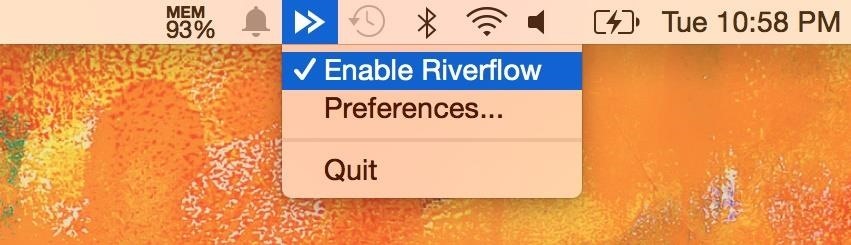
Step 2: Add an App to ControlSelect the app's icon from the menu bar and select "Preferences" to get started, then go to the Gestures tab. You can initially choose to create gestures that work across your entire computer (Global) or in Finder. Note: If you create a gesture for Global, it will override any gestures you've made for any other individual apps. Add a new gesture with the plus sign at the bottom left, then choose to add any app on your computer. From my list of apps, I chose to add to gestures to Spotify in order to better control music playback.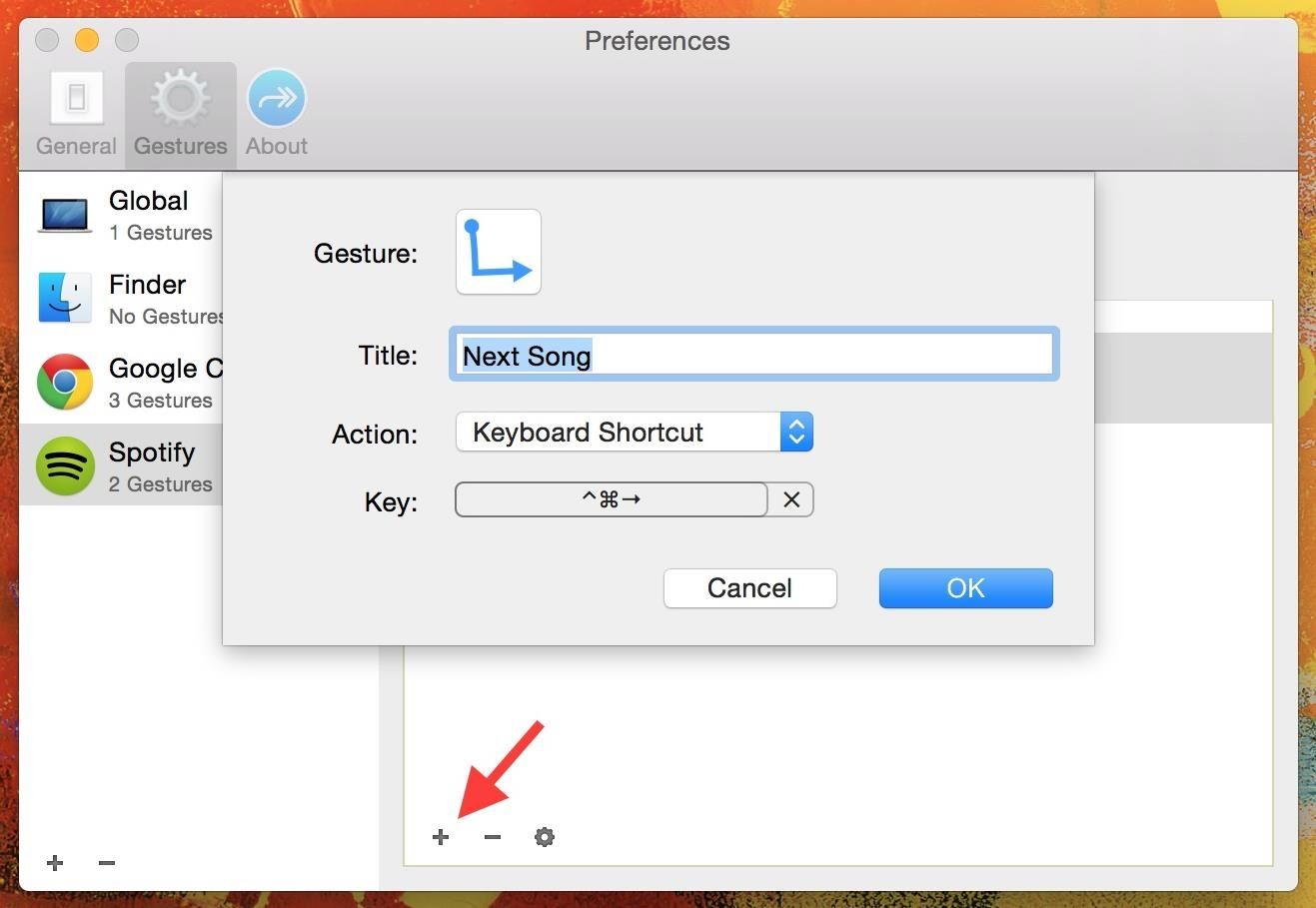
Step 3: Assign GesturesOnce you have an app selected, hit the plus sign on the inside window to add a gesture for it. Click on the gesture icon to bring up all of the options (which require two fingers), including ones that swipe down and left or right, right angles, zig-zag, and create a circle. Once the gesture is selected, add a title to the shortcut, select the type of action (keyboard shortcut, open URL or file, or even run Apple or shell script) and enter the keyboard shortcut (or file or command) that you want to come about.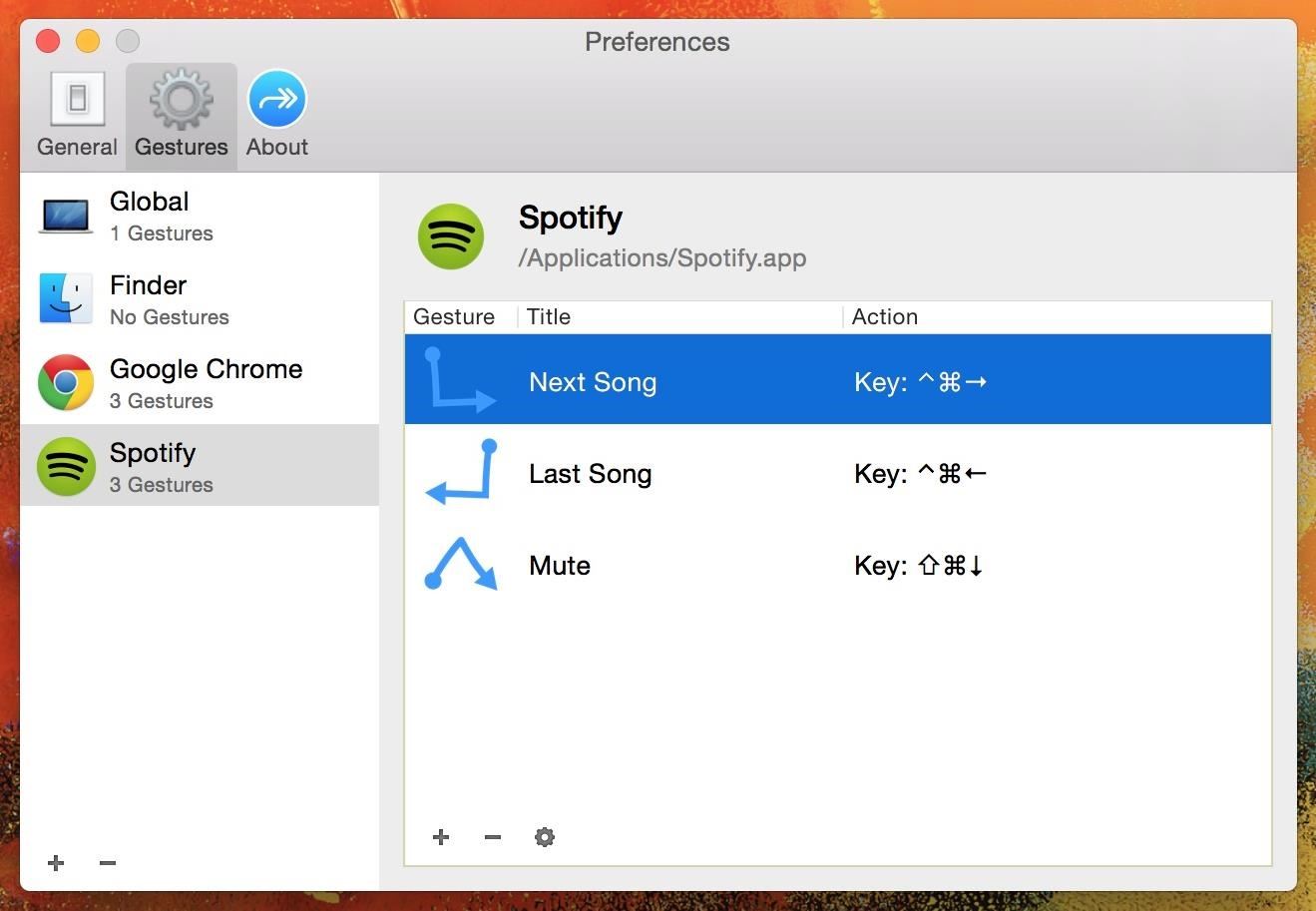
Step 4: Use GesturesFor Spotify, I created two-finger gestures for skipping a song, going back a song, and muting the song currently playing. In the second screenshot below, you can see the transparent window that appears in the middle of the screen when you successfully use a gesture. If you're not familiar with the keyboard shortcuts for some of your favorite apps, check out ones for Chrome, Safari, Spotify, and Photoshop. If you're trying to figure out any other ones, you can easily look them up on Google, through the app's help guide, or using CheatSheet.Give Riverflow a go and let us know how you use these gestures in your favorite apps in the comments below!Follow Apple Hacks over on Facebook and Twitter, or Gadget Hacks over on Facebook, Google+, and Twitter, for more Apple tips.
On your iPhone, your phone number and Apple ID email address are the default ways in which somebody can contact you on FaceTime. While you can't remove your phone number as an option, you can remove your Apple ID email account. More importantly, you can add any other email addresses you'd like to
How to Add Additional Emails to FaceTime - iOS & iPhone
If you own a jailbroken iPhone and have installed some apps via Cydia, you will notice that when you try to delete any app from your SpringBoard (Tap and hold on the icon) an "X" appears, where you tap and remove the app . But in case of Applications installed via Cydia, there will be no "X" with them (Screenshot available).
How to Remove apps from Cydia using Cydelete on your iPhone
However it is also possible to send emails to a mobile/cell phone number, and also to receive emails from a mobile phone. This is useful for sending emails to old style phones and to contacts that don't have an email address or you don't know it.
How to Send an Email from a Computer to a Cell Phone | AOL.com
How to Make a Pen Gun With a Trigger. Making a simple gun out of a pen and a few other items can be fun. You can shoot small projectiles out of it, such as the ink cartridge, skewers, or even matches.
Gun Pens Sold Direct on eBay | Fantastic Prices on Gun Pens
AD
At last, a tutorial. A Remake of the original, on how to turn your webcam into a security cam. That auto captures with motion detection and stores the images on your computer or online Server.
How to turn your webcam into a surveillance cam - YouTube
Find files you've downloaded on your PC. Download Manager keeps track of pictures, documents, and other files you download from the web. Files you've downloaded are automatically saved in the Downloads folder. This folder is usually located on the drive where Windows is installed (for example, C:\users\your name\downloads).
Change default program for a download - Microsoft Community
Google's latest smart home device has a built in camera for video-chatting and even indoor security. At the annual I/O developer conference, the firm unveiled the $229 Nest Hub Max that combines
It's game over for the Fed as the central bank's credibility
How To: This Super Simple Mod Improves & Speeds Up Web Surfing on Your Samsung Galaxy S3 How To: Effortlessly Hack & Mod Your Samsung Galaxy Note 2 Using the Android Everything Tool News: Here's How Much Money Samsung Will Give You for Trading in Your Current Phone for an S10
How to Speed Up Your Internet in Windows 8 - WonderHowTo
Here's how the Galaxy S6 edge display will look with Marshmallow. The update will more than double the width of the dual Edge screen to 550 pixels, from 260 pixels, which not only enhances previous features—like People edge and Apps edge—but adds new ones like "Task edge" and "Quick tools" so that you can do even more with your phone.
How to Take a Screenshot on Any Smartphone or Tablet
Oct 11, 2018 · Seven iOS 12 security setting tips you should check right now. Here's some tricks to take advantage of the latest bug fixes on iOS 12 and make sure you're keeping your device as safe as you
New to iOS 11? Change these privacy and security settings
How to Close All Open Tabs in the Chrome iPhone App June 2, 2015 By Matt Tabbed browsing is a feature that is used by almost every popular Web browser that you can install on your computer, and the feature has proved to be useful on mobile browsers as well.
How To Close All Tabs in Google Chrome for Android - ccm.net
The dark side of anonymous remailers. "Mixmaster is an anonymous remailer which sends messages in fixed-size packets and reorders them, preventing anyone watching the messages go in and out of
Email is one of the least private and least secure forms of communication, although few people realize this. MixMaster is one way to allow secure, anonymous communication even over the very public medium of email. This tutorial will get you started with MixMaster quickly and easily.
Anonymize Your Emails with MixMaster | Linux Journal
Mobile Apps Leer en español How to close all tabs in Safari, Chrome and Google on your iPhone. Find out where the close-all-tabs button is hiding in these iOS apps.
iOS 11: How to close all Safari open tabs at once. iPhone and


0 comments:
Post a Comment