How To: Remove Unnecessary Profiles & Certificates on Your iPhone to Protect Your Privacy & Security
When you want to install a new tool or game on your iPhone, you go straight to the App Store to do so — but it's not the only place you can get apps from. Some developers use back alleys to get their apps to you, while others can trick you into installing them without giving it much thought. This can lead to malicious software running on your iPhone, software you'll want to get rid of asap.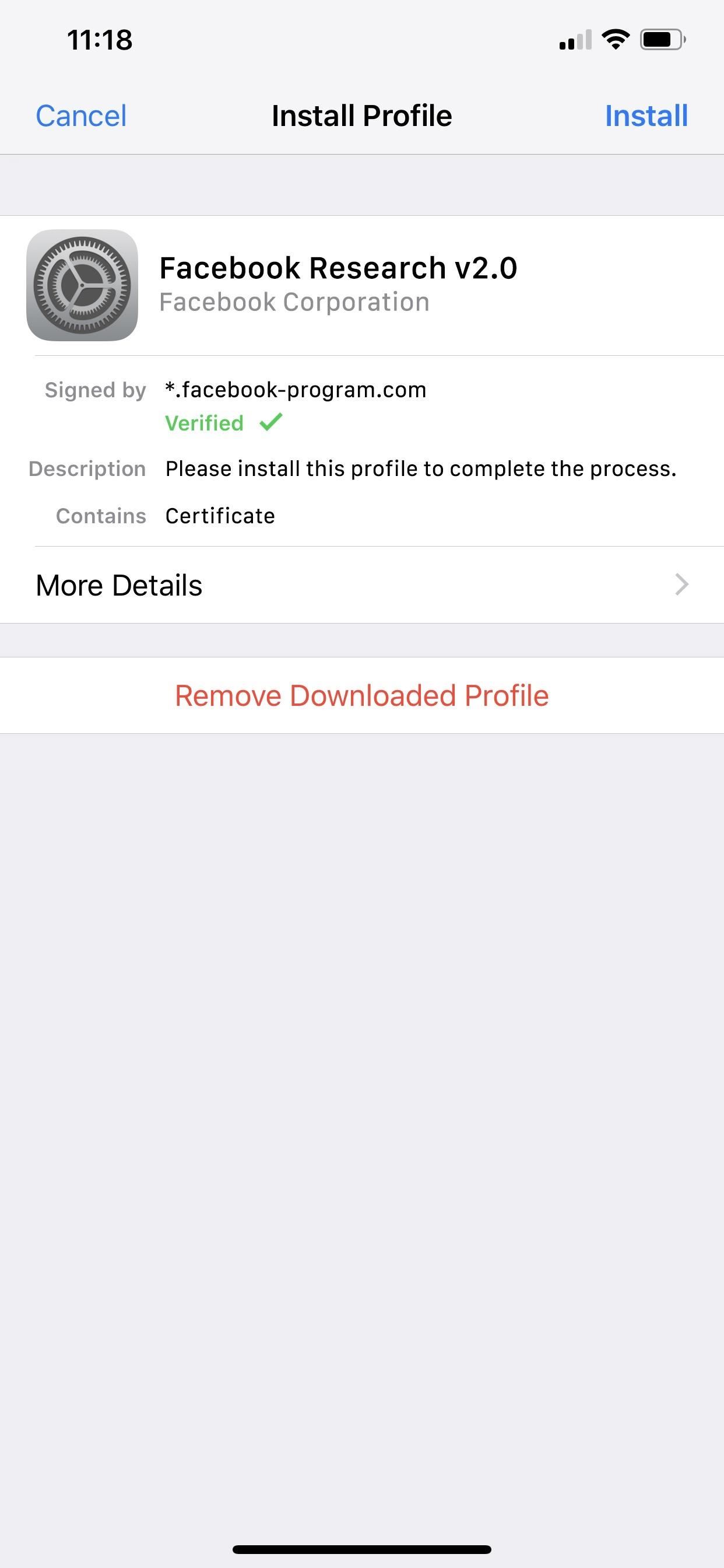
Facebook's Abuse of Profiles & Root CertificatesIn recent news, TechCrunch uncovered that Facebook was abusing Apple's Developer Enterprise Program, a platform that lets businesses distribute unreviewed apps to employees and sign certificates. Typically, this program is used to let workers test in-progress apps being developed before sending them up for App Store review, just like with the regular Developer Program, and it can be used to give workers mobile tools that the companies don't want available to outsiders. For an example of the latter, Google uses a Gbus app for employees only to request rides.Facebook essentially suckered teenagers and adults into installing a data-collecting VPN app for "market research" purposes in exchange for $20 each month. Adults signed up right away while kids needed permission from their parents. They'd install a Facebook Research provisioning profile that included permissions to funnel TLS traffic through its VPN tunnel, as well as a root CA certificate that basically let them collect encrypted traffic coming to and from the iPhones for anything that was happening, not just Facebook related tasks. Any app's web use was recorded. Facebook's profile and certificate that were revoked by Apple. Although Apple is known for its stringent App Store guidelines that restrict vetted applications from harvesting data, the Developer Enterprise Program has virtually no oversight on any of the apps that are distributed using the certificate licenses it gives companies for $300 annually. And as for root certificates, Apple allows many on iOS 12, and it's blocked a few as well.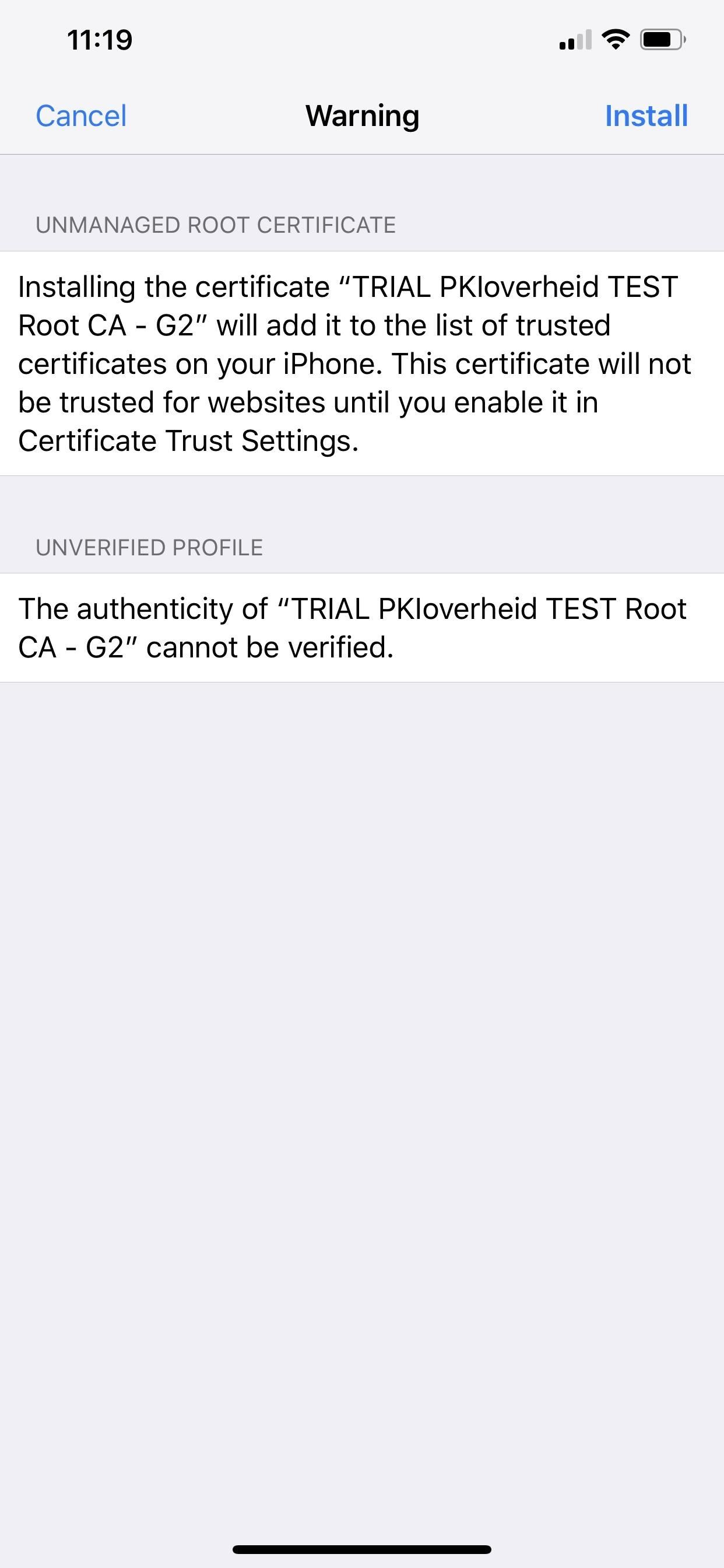
There Are Lots of Companies Abusing CertificatesFacebook isn't the only culprit abusing certificate licenses. For another big name example, Google was doing the exact same thing as Facebook, using a root CA certificate to grab any data going to and from the device for deep packet inspection. And while "trusted" root certificates are the biggest things to worry about, there are regular certificates as well as configuration profiles with or without them. A profile with a root certificate will warn you first. Anonymous program participants were using the Developer Enterprise Program to distribute porn and gambling apps, and shady developers took advantage to hand out cheating-based versions of popular apps such as Pokémon Go and Angry Birds, as well as pirated versions of paid apps like Spotify and Minecraft.Unapproved app stores such as TutuApp, Panda Helper, AppValley, and TweakBox, as well as beta-testing platforms BetaBound, uTest, and Applause (which Facebook used), all require a profile installation, usually with a certificate (not necessarily a root one). The same goes for the apps they distribute, as well as solo apps found online. These profiles are easily installed just by tapping on a link in Safari. Tweaked apps appearing in the TweakBox app store.
Why Installing Certain Profiles & Certificates Is BadThe data unapproved apps can siphon off your iPhone is near limitless with a root certificate, but that's not the only thing you have to worry about. Regular CA certificates and profiles can do just as much damage. When using apps that require a profile installation, even if you were unaware of what you were installing, they may ask you for payment details or passwords, something you shouldn't be so quick to give up.Hackers and other malicious users could use social engineering to get you to install other configuration profiles, which house the certificates, that can include payloads for completing tasks such as creating new email accounts, serving you advertisements and pop-ups wherever you go, or exfiltrating data. And while VPN tunnels are of great concern, hacker's exploits could grab your personal data using a proxy server, changing APN settings, and using man-in-the-middle attacks.For instance, there have been many related reports by users over the years where a website or email asked them to install a profile and certificate to get access to a weather widget, email app, or some other harmless-sounding feature, which in turn gave the profile permission to create new email accounts, redirect you to malicious websites, and serve ads.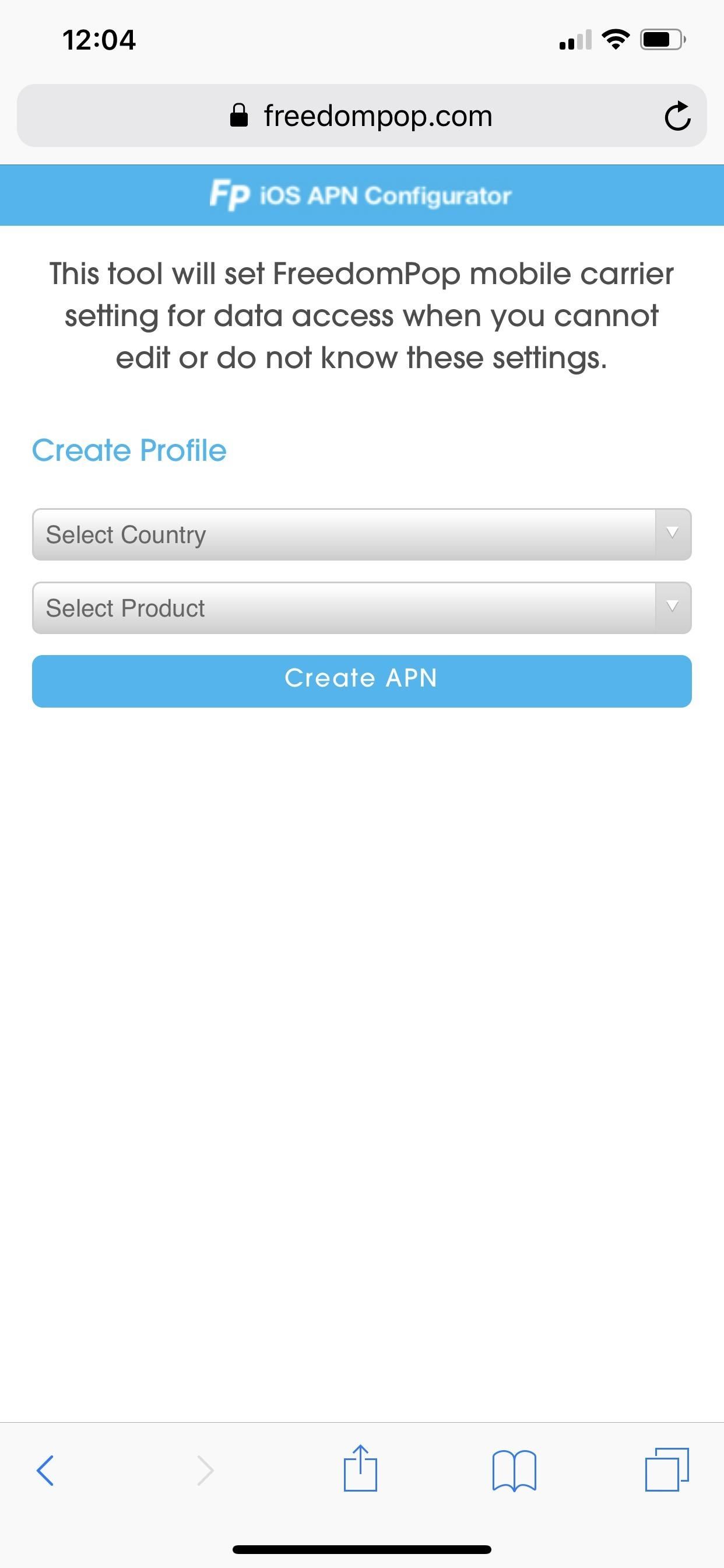
Not All Profiles & Certificates Are BadApple uses its own program to distribute iOS beta software to developers and public beta testers, who then install a profile and certificate combo, and it's safe to say you can continue using those betas if you enjoy getting new features before everyone else. There are also services such as FreedomPop, which use these certificates to adjust APN cellular settings on your iPhone to provide free or low-cost data. Xfinity and LinkNYC use profiles to help users connect to public Wi-Fi hotspots. FreedomPop changes APN settings on the device to use its SIM card. Developers can also issue apps they're working on to a limited number of devices in their network before going through Apple's vigorous review process for App Store distribution. Companies, schools, and other places that hand out iPhones or iPads can employ Mobile Device Management profiles on supervised devices. Those profiles can do things such as block iOS updates, block other profiles from being installed, prevent certain apps from running, and even automatically trusting root CA certificates.And then there are tools like Cydia Impactor which can be used to sideload IPA files for helpful apps such as Kodi, and they use your own Apple ID account information to give the apps permission to run. You could even use the Apple Configurator 2 utility to create a your own configuration profile to do things such as customize app icons on your iPhone without jailbreaking, which doesn't even require a signing certificate.For information on how certificates work across Apple's platform, check out Apple's description of digital certificates in its cryptography reference.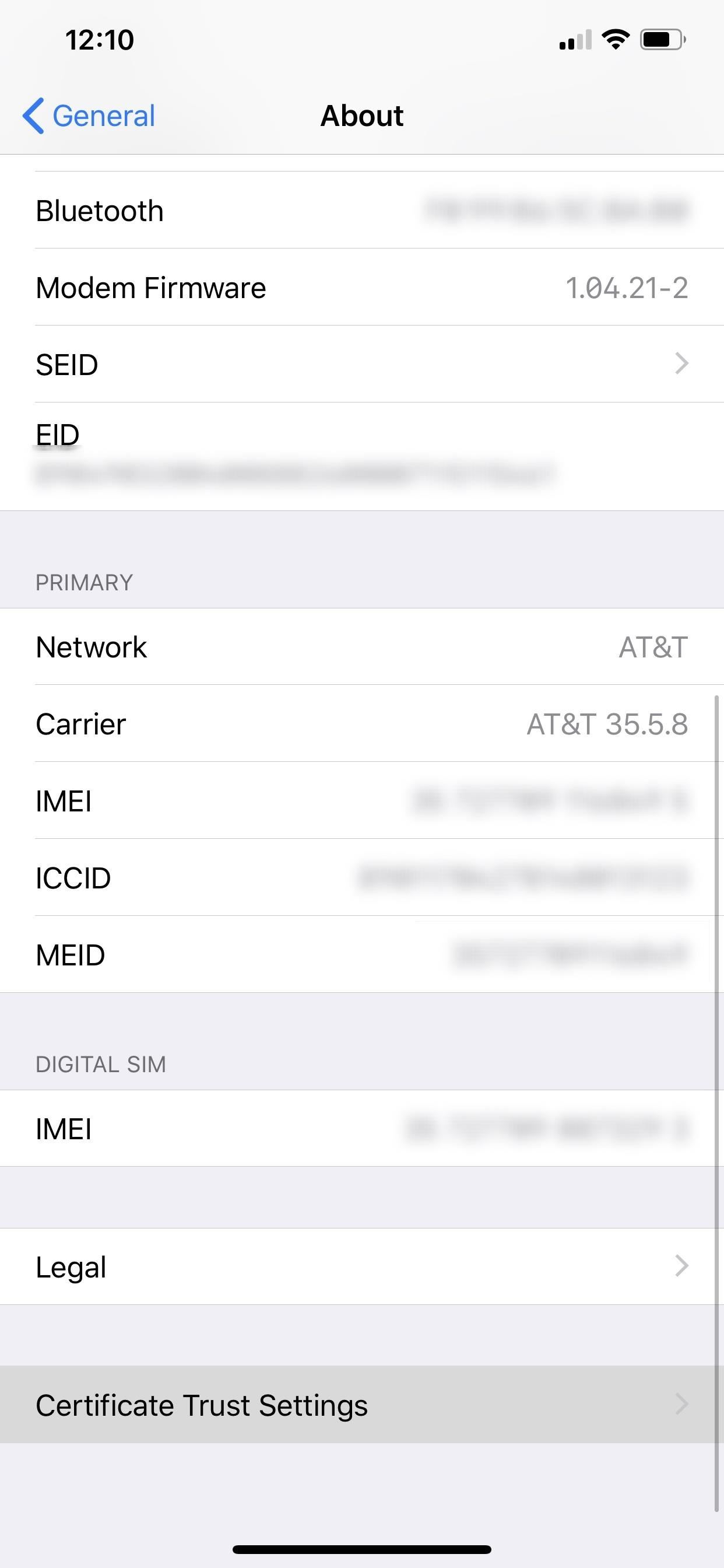
How to Check Your iPhone Root CertificatesDon't know if you've downloaded a profile with a root or regular certificate on your device? Luckily, it's easy to not only check but also to remove them from your iPhone. First, to check if you have any trusted root CA certificates, go to Settings –> General –> About –> Certificate Trust Settings.If there are any here, they'll appear under the "Trust Store Version." If they're green, they're running right now. Root certificates here that were deployed via Apple Configurator or Mobile Device Management are automatically trusted. You can toggle it off to disable it, but that won't delete it, so you'll want to view the next section for that.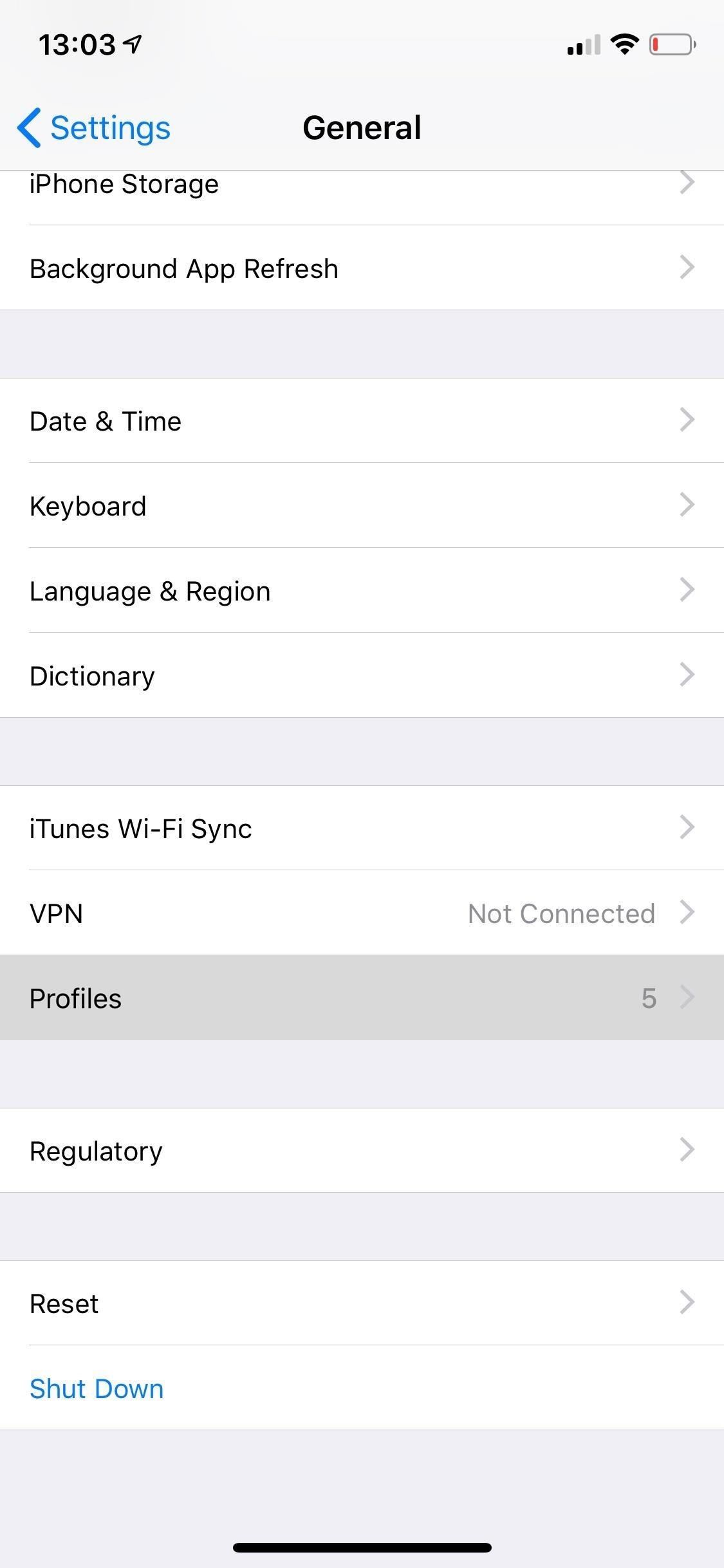
How to Check Your iPhone Profiles & Other CertificatesTo view any existing profiles and/or certificates on your device, go to the Settings application, tap on "General," and scroll down to "Profile/s." If there is not "Profile/s" section, you have none installed. If you do see it, tap on it to view them.On this page, there can be three different types of profiles, each which can include provisions for settings on your device as well as certificates. They are configuration profiles, mobile device management, and enterprise apps.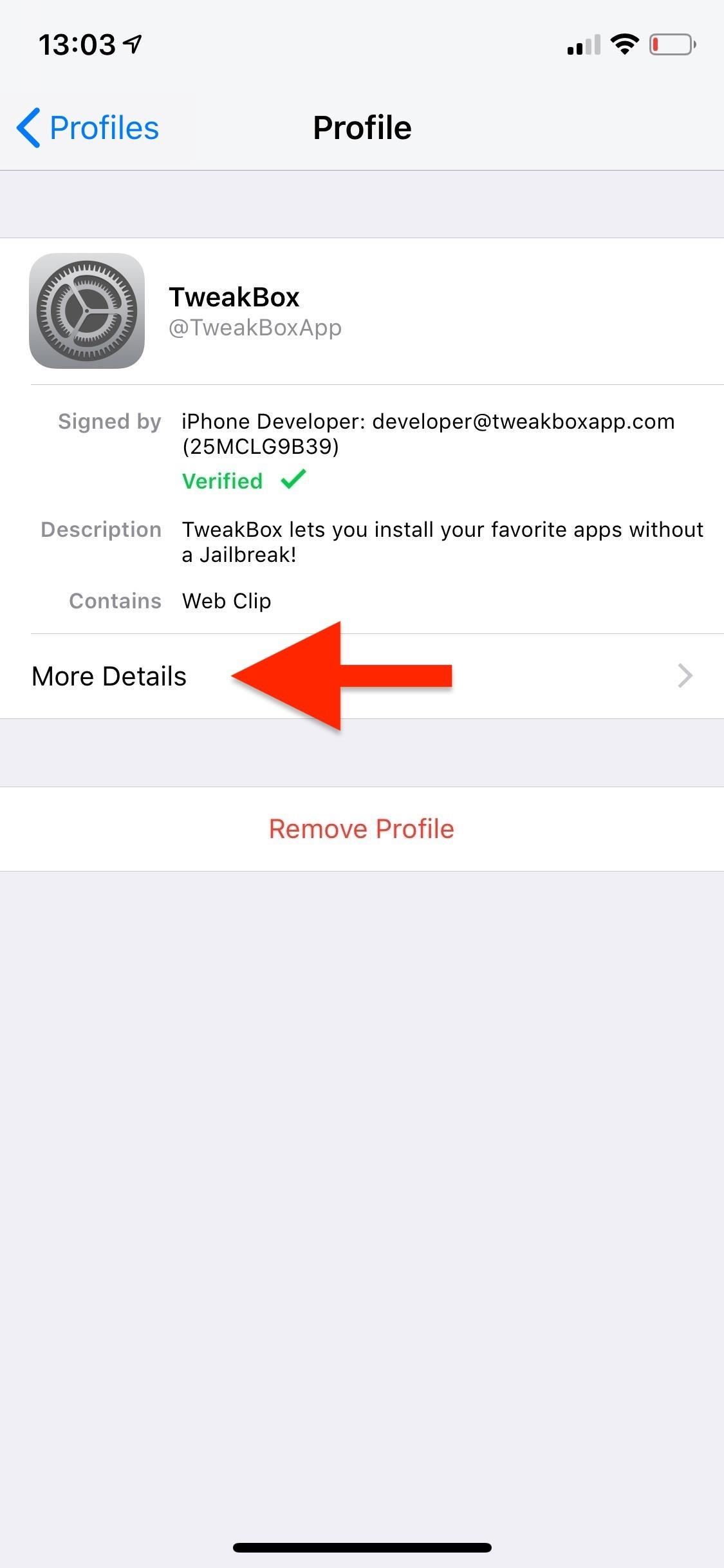
How to Remove Unwanted Profiles & Certificates for GoodInside the profile, you can see who it's signed by and a short description of it. In some cases, it may not be signed at all, such as when you use Apple Configurator 2 to build a custom profile for yourself.If you tap on "More Details," you can see what's inside the configuration profile, which usually includes a "signing" certificate and sometimes permissions to adjust things such as internal settings, cellular configurations, VPN information, etc. You can tap on the certificates to view more information about them.In my example for the TweakBox profile, there's a regular CA certificate titled "Apple Worldwide Developer Relations Certification Authority." This is not a root certificate, but it's still something I don't need. To delete the profile and certificates, go back to the profile view and tap on "Remove Profile." Enter your passcode when prompted, tap on "Remove," and the root certificate will be removed from your device. Doing this will also remove all permissions given in the first place, should wipe all settings changes by the profile, and will remove or force connected apps from working. For enterprise apps, select the profile, then tap "Delete App," followed by "Delete App" on the pop-up. This will remove the app and enterprise profile. You can also delete an enterprise app on your home screen like any other app, and it will also remove its profile unless the profile has more than one enterprise app attached to it. With the profile and/or certificates deleted, your private information, such as web activity and secure transactions, can no longer be accessed by the organization you got it from or tricked you into installing it.This article was produced during Gadget Hacks' special coverage on smartphone privacy and security. Check out the whole Privacy and Security series.Don't Miss: More iOS Security Guides for Your iPhoneFollow Gadget Hacks on Pinterest, Reddit, Twitter, YouTube, and Flipboard Sign up for Gadget Hacks' daily newsletter or weekly Android and iOS updates Follow WonderHowTo on Facebook, Twitter, Pinterest, and Flipboard
Cover photo and screenshots by Justin Meyers/Gadget Hacks
The Systems Manager > Manage > Settings page allows you to configure the specific settings associated with a particular configuration profile. These settings and profiles can be used to ensure that your devices meet business requirements and receive the configurations your users need to work.
Security | ZDNet
How To Tell If Your Cell Phone Is Tapped
Of course, reviewing your app permissions is only one aspect of online privacy. In fact, it's only one aspect of Facebook privacy. There's perhaps too much to cover here, but there are a few
How to Use Guide: Verizon Security & Privacy App
Microsoft allows you to control your account your way with customizable privacy settings. Manage your Xbox, Windows, and other privacy settings on this page.
Fix "Site Is Using Outdated Security Settings" in Browser
This includes your apps, emails, texts, photos, and contacts. An easy way to do this is by using a data backup and recovery software on your device. Delete any unnecessary apps and content on your cell phone. Utilize Your Phone's Security Settings; To protect your phone from any criminal threat, utilize your phone's security settings.
How to Protect Your Personal Data and Privacy on Facebook
It must be over 150 MB for your device. The Android system cannot work properly if the internal device storage is below 150 MB. If under 150 MB, use the following tips to clear more storage: Delete unnecessary text messages (SMS) and picture messages (MMS). Transfer pictures and media to a computer to remove them from the phone memory.
Clear the history and cookies from Safari on your iPhone
Manage Wi-Fi networks is a setting that lets you edit your saved Wi-Fi networks that are always blocked or always allowed. These lists prevent your device from connecting to networks that you know are unprotected to safeguard your personal data.
Installation and Configuration of AMP Module Through
How to Fix "Site Is Using Outdated Security Settings" on Browser Browsers have recently increased efforts to encourage administrators to take advantage of updated SSL security in order to better protect sites and users.
Configuration Settings - Cisco Meraki
Edit the AnyConnect VPN group policy and download the AMP Enabler Service Profile. Login to the AMP dashboard in order to get the connector URL download link. Verify the installation on the user machine. Step 1: Configure the AnyConnect AMP Enabler Client Profile. Navigate to Configuration > Remote Access VPN > Network (Client) Access
Internal storage (ROM): Samsung GALAXY Core Prime | T-Mobile
To clear your history and cookies, go to Settings > Safari, and tap Clear History and Website Data. Clearing your history, cookies, and browsing data from Safari won't change your AutoFill information. To clear your cookies and keep your history, go to Settings > Safari > Advanced > Website Data, then tap Remove All Website Data.
Microsoft account | Microsoft Account Privacy Settings
The best VPN services: Our 10 favorite vendors for protecting your privacy. Whether you're in the office or on the road, a VPN is still one of the best ways to protect yourself on the big, bad


0 comments:
Post a Comment