How To: Kick People Off Your Wi-Fi Network Using Your Nexus 7
One thing I absolutely cannot stand is lag when I'm gaming. Every time I'm about to beat my killstreak record on Call of Duty, my internet connection drops and I'm a goner. It never fails. This usually happens because someone else on my Wi-Fi is streaming a movie or downloading a huge file.Yes, I could log in to my router from my computer and kick off everyone on my Wi-Fi, but that's too time-consuming, and what if I'm not on my own personal network? Thanks to my Nexus 7 and an app called WiFiKill by developer Bartosz Ponurkiewicz, creator of the famed FaceNiff app, there is an easier and faster way.WiFiKill lets you easily give people a "timeout" by kicking them off the network temporarily, and it's helpful for more than just games (e.g. Netflix streaming quality) and for more than just your own network.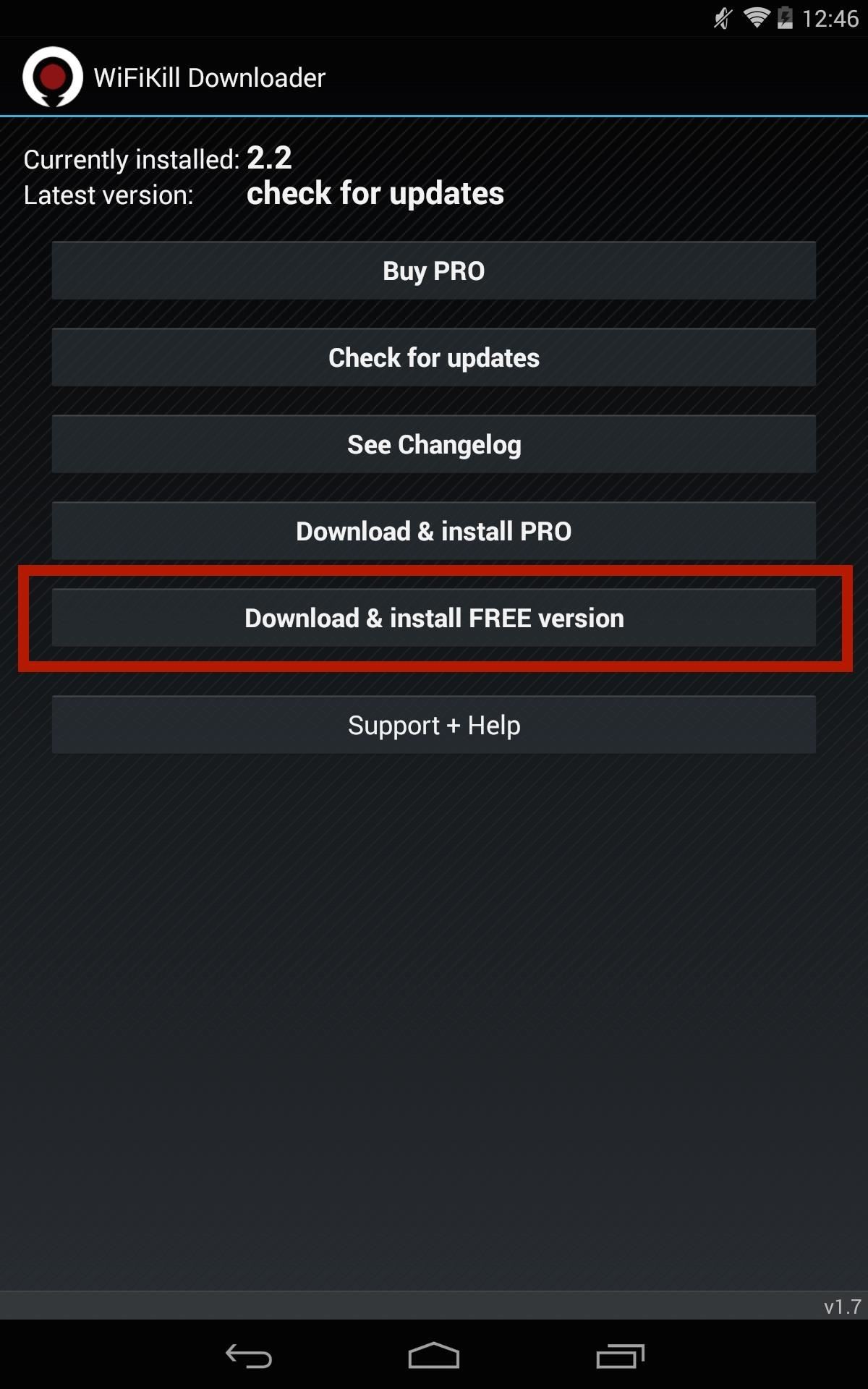
How to Install WiFiKillIn order to acquire this app, you will need a rooted Nexus 7 or other rooted device running Android 4.0 or higher. You will also need the WiFiKill Downloader app, which lets you install different versions of WiFiKill, check for updates, and view the changelog.Once you have the Downloader app installed, open it up and select Download & install FREE version to test out the free version of WiFiKill. The free version has ads and lasts for only five minutes (hence the "timeout"), but that should be long enough for people to quit their attempts of reconnecting. The paid version is $6.00, removes ads, and disables Wi-Fi for any amount of time, which could be more helpful when you're on a public Wi-Fi network.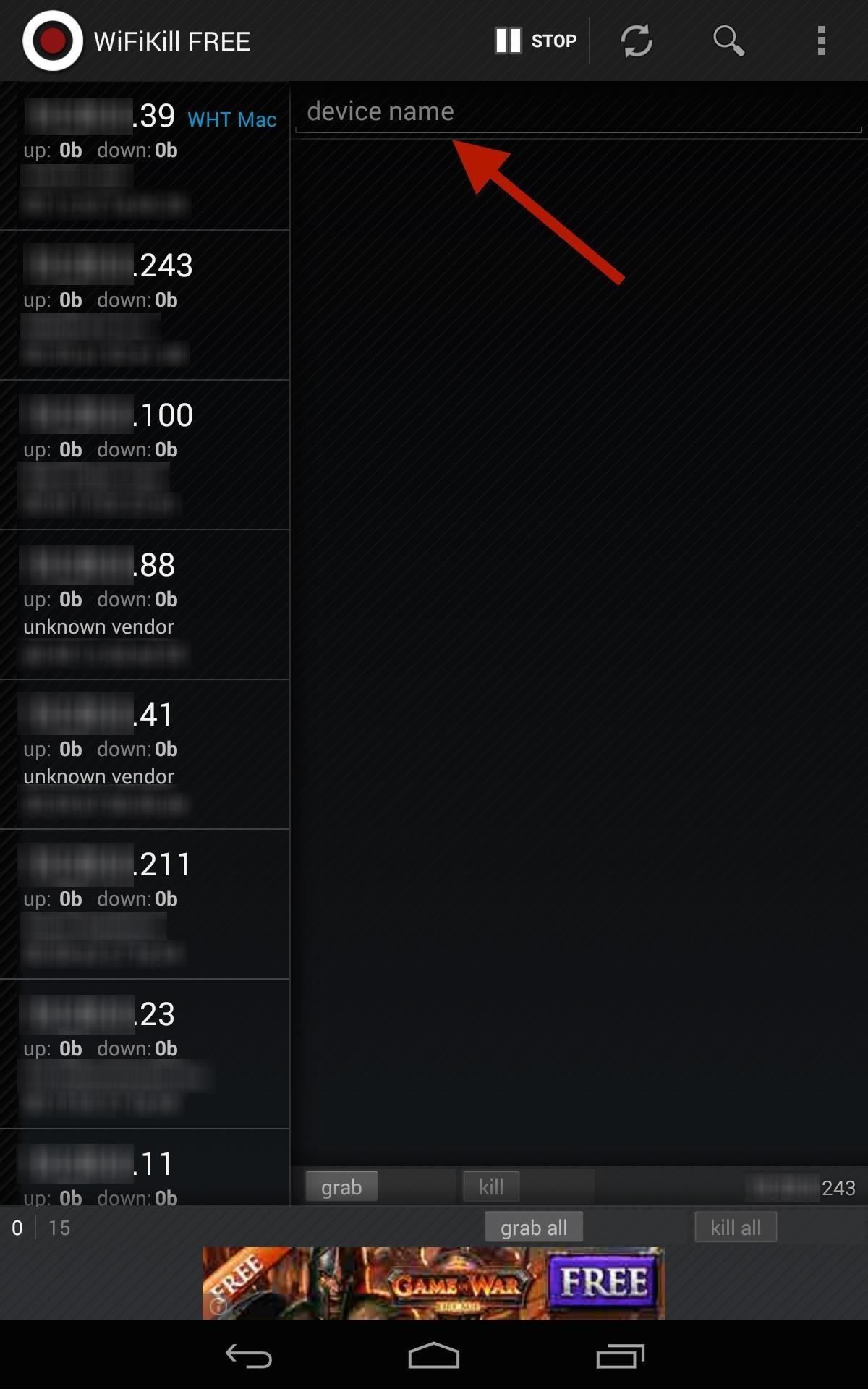
Step 1: Identify & Name DevicesWhen you first open the app, you'll be presented with a list of devices connected to your network and their IP addresses once you hit the Start button up top.Some of these addresses will have a vendor name next to them (i.e. "Apple, Inc."), but others won't. To weed out your own devices, you can just find out your IP address in your Wi-Fi or Internet settings on the device. It'll most likely be easier with your home Wi-Fi network, as you'll have fewer devices attached (I'm using my work network as an example). Once you've identified your own device (or a bandwidth hog), go ahead and label it for easy finding next time round. Tap on the IP address, then input the name where it says device name.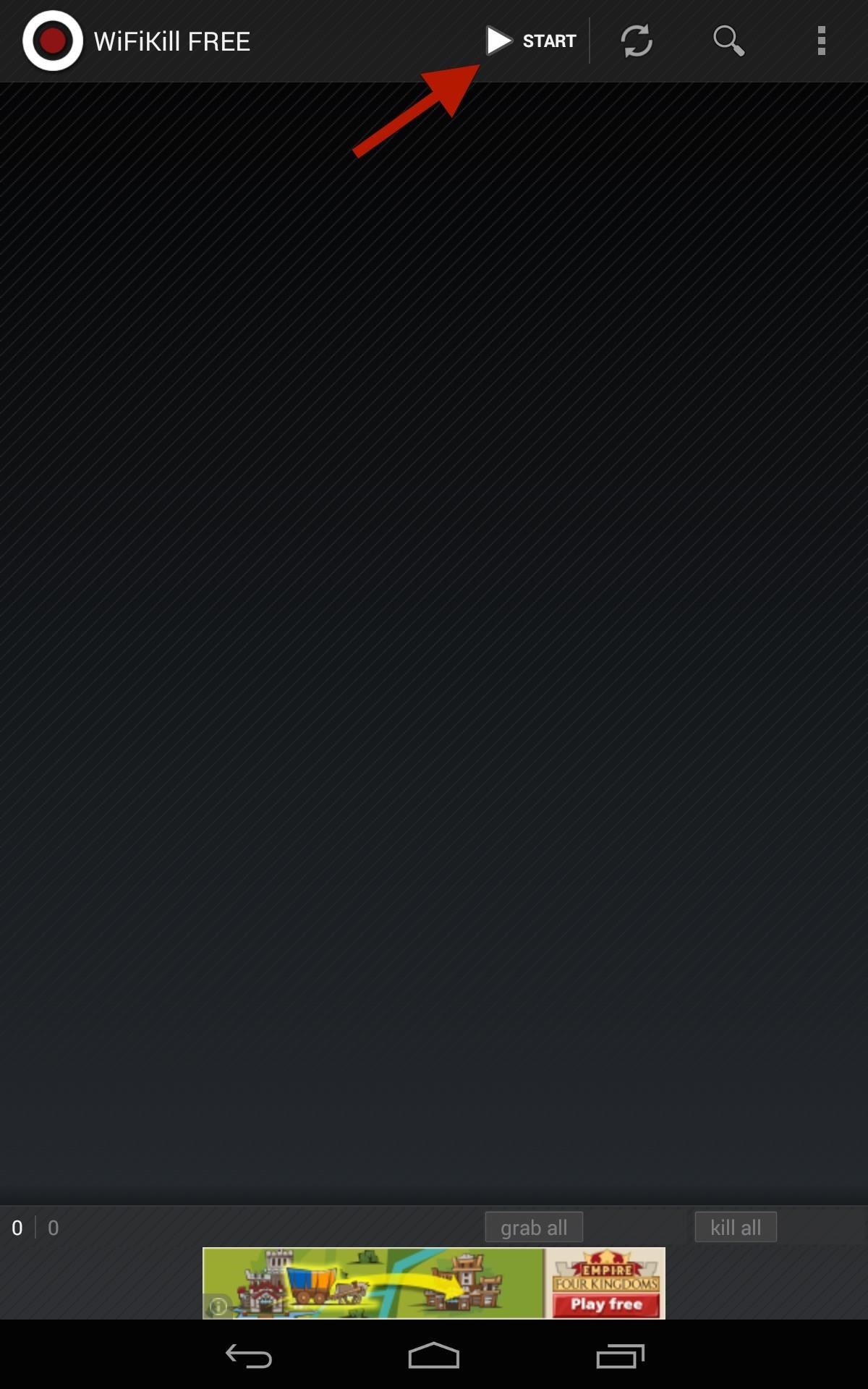
Step 2: Kill All ConnectionsAt the bottom of the page, select grab all then kill all if you want to kick everyone off Wi-Fi right off the bat. By grabbing a device, you will be able to view traffic and recently visited websites.Obviously, grabbing all will also kick you off whatever other devices you're using (e.g. Xbox, PlayStation, computer, etc.), so I recommend doing it on a case-by-case basis (see next step).
Step 3: Kill Individual ConnectionsKicking everyone off at once could raise suspicions, especially if you're the only one left with a working connection. Instead, kick off the bandwidth hogs on an individual level by selecting their device(s), selecting grab, then kill. This process can seem diabolical, but some of us will go through great lengths to have the internet all to ourselves. Enjoy it for free, or upgrade to unleash its full capability.And yes, you can use this in some of the more open public Wi-Fi hotspots (these days, most public ones are protected from these types of antics) and kick people off, but just remember to disable the application before you leave.
Cover image via Shutterstock
Mobile Leer en español How to use Google search to find your lost Android phone. Run a search for your Android phone via Google it'll pinpoint the phone's location on a map.
Get started with Google Photos - Android - Google Photos Help
Listen to Top Stations music on Pandora. Discover new music you'll love, listen to free personalized Top Stations radio.
How to Connect your Sony Dash to Pandora Internet radio
Get the best deal for Palm Cell Phone Case from the largest online selection at eBay.com. Browse your favorite brands affordable prices free shipping on many items.
Palm Centro review: Palm Centro - CNET
An ISP is a company (such as Netcom or CompuServe) that gives you a phone number to dial when you want to connect to the Internet. You may be able to use the same ISP that you use to connect your desktop computer to the Internet. Just enter the same information in the Network Preferences program on your Palm device, and you're on your way.
See how to make a simple laser communicator with KipKay and MAKE Magazine! Find out how to secretly shoot your voice across the room in stealth mode on the beam of a laser! Kipkay loves his lasers! A simple laser communication device is the perfect way to talk across the room.
Weekend Project: Make a Simple Laser Communicator - YouTube
Top 5 Best Paid IOS / Iphone Games 2018 - Fliptroniks.com Top 10 Games For Iphone 8: https: Check out these top 5 best paid ios / iphone games in 2018! Category
Best Android Games 2019 - Tom's Guide
How to Hard Reset iPhone XS Max. Press and quickly release the Volume Up button.. Press and quickly release the Volume Down button.. Now press and hold the Side button until your device restarts
How to turn off and restart iPhone XR, XS, and XS Max
Please Visit My New Channel "Reality How To TV" How To Bose Sound Dock Line In Audio Hack-Modification for Android Phone or Tablet or iphone 5 while keeping ipod usability and charging functionality.
Can you convert an iPod dock to aux 3.5 stereo??? PLEASE HELP
How to enable two-factor authentication on Android. on either the name of the app or 'Manage Apps' to display the 'Remove' button. in a safe place. You'll be given ten one-use codes by
Use Your Phone as a Security Key for Logging into Your Google
Everything you need to know about the iPhone 8 and iPhone 8 Plus Apple reportedly cuts iPhone 8 production, share price drops By Adam Ismail @pioneerspine — Posted on October 19, 2017 6:54AM PST
Everything You Need to Know About the iPhone 8 & 8 Plus
How To: Get These Badass Circular App Icons to Round Out Your iOS 7 iPhone or iPad's Home Screen How To: Open Apps Faster on Your Mac Using Custom Keyboard Shortcuts iPad Cloning: How to Replicate the iOS Home Screen on Your Nexus 7 and Fool Your Friends!
ios - iPhone App Icons - Exact Radius? - Stack Overflow
To add a contact to your iPhone's favorites list simply launch the Phone app and tap on the 'Contacts' tab from the button bar. Scroll through the list of contacts until you find the one you want to add and tap on it. Then simply hit the 'Add to Favorties' button, and that will add the said contact to your favorites list.
How to Add or Remove Favorites from Safari on iPhone and iPad
If your power button is not working properly, then don't worry. There are plenty of ways to restart Android without power button. In this guide, we will provide five different ways to teach you how to restart Android phone without Power button. Let's get it started with! Part 1: Restart Android without power button (when phone is still off)
How to Shut Down an iPhone or iPad Without Using the Power Button
osxdaily.com/2017/10/08/shut-down-iphone-ipad-without-power-button/
The latest versions of iOS offer a nice software feature that allows users to easily shut down an iPhone or iPad entirely through system menu options, without having to use the power button or any other physical buttons on the device at all.
Samsung Galaxy S8 Oreo update notes detail new features, improvements and hold an app to make a shortcut that can be accessed from the Home Screen. Galaxy S8 Android Oreo 8.0 update
Android Oreo is coming to Galaxy S6, S6 Edge and S6 Edge+


0 comments:
Post a Comment