How To: Increase the Maximum Headphones Volume Level on Your OnePlus One
Being in a band, I exposed myself to years of extremely high volumes, so I can't hear as well as I once did. I'm not concerned about going deaf or anything, but I tend to have the volume raised to the max, beyond the "high volume" warning, whenever listening to music on my OnePlus One with headphones.Some may think the stock volume ceiling on the OnePlus One is high enough, but it never quite gets to where I want it, so today I'll go over a couple of ways of increasing the maximum headset volume level, thanks to the efforts of developer Darkchyldx101. Please enable JavaScript to watch this video.
For both methods, you will need to ensure that your OPO is rooted, so head into our OnePlus One root guide before going any further.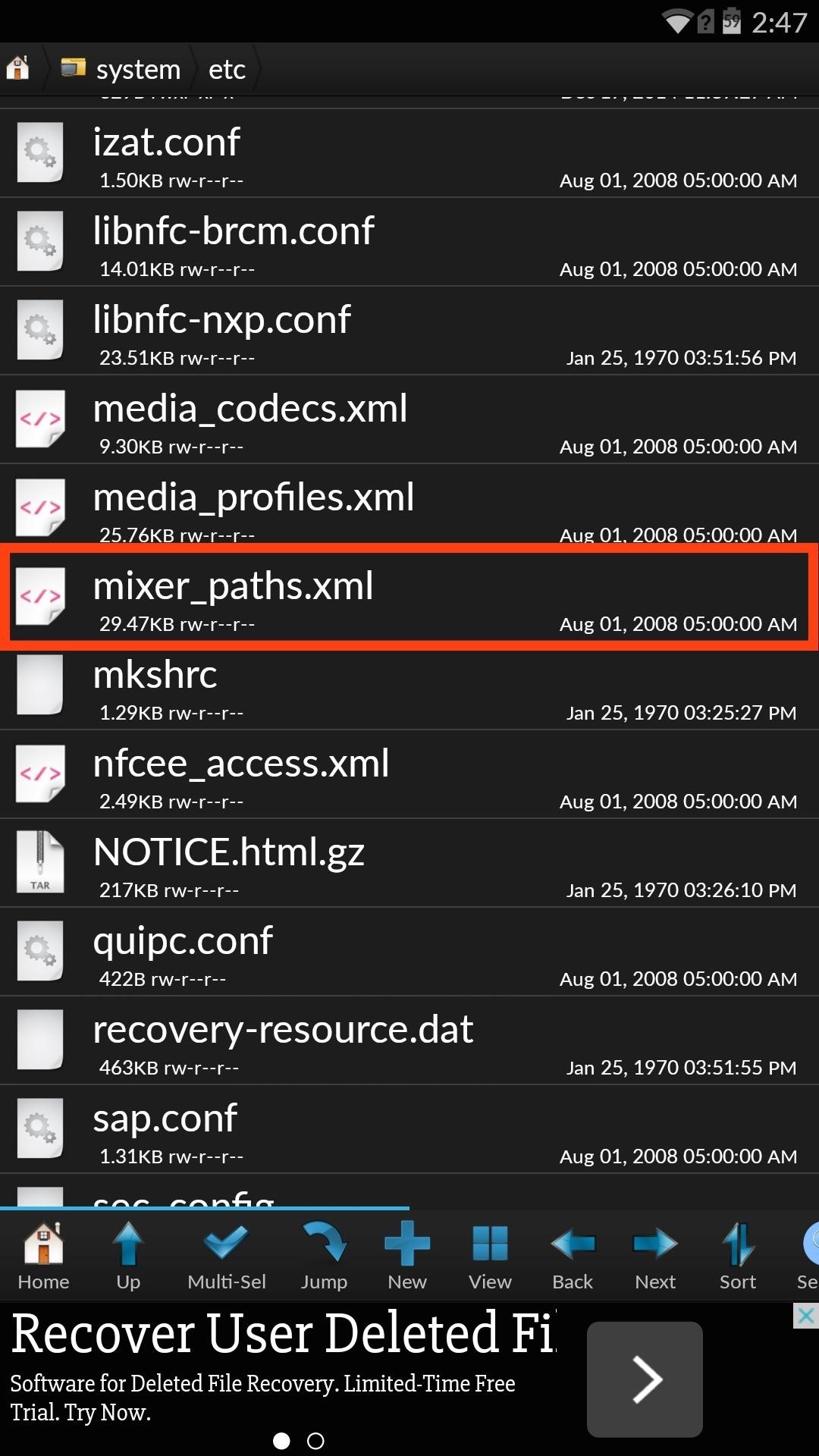
Method 1: Raise Levels ManuallyUsing an application like Root Browser, navigate to System -> etc -> mixer_paths.xml. Open the file in the text editor, then locate the text <path name="headphones">. By default, the headphone volume level is set to max out at "84." Edit these values to whatever you want, but I wouldn't suggest going higher than "95," as anything higher will be unbearably distorted and terrible for your ears. Once you've made your changes, select "Save," then reboot your device to apply the changes.
Method 2: Flash Volume ZIP FilesIf editing text is too much work for you, then you can flash pre-made ZIP files with the modded volume levels. In order to use this method, you will need to install a custom recovery. Also, create a backup before flashing anything.Choose the ZIP file below for the loudness level you're looking for. The developer provides various ZIPs for three different ROMs: CyanogenMod 11, AOSP, and the CM11S 44S build. There are also three different levels to choose from:
Default: Stock Values for Headphone and SpeakersCM11S Download AOSP Download 44S Download
Medium: Headphone and Speakers with Values Set to 88CM11S Download AOSP Download 44S Download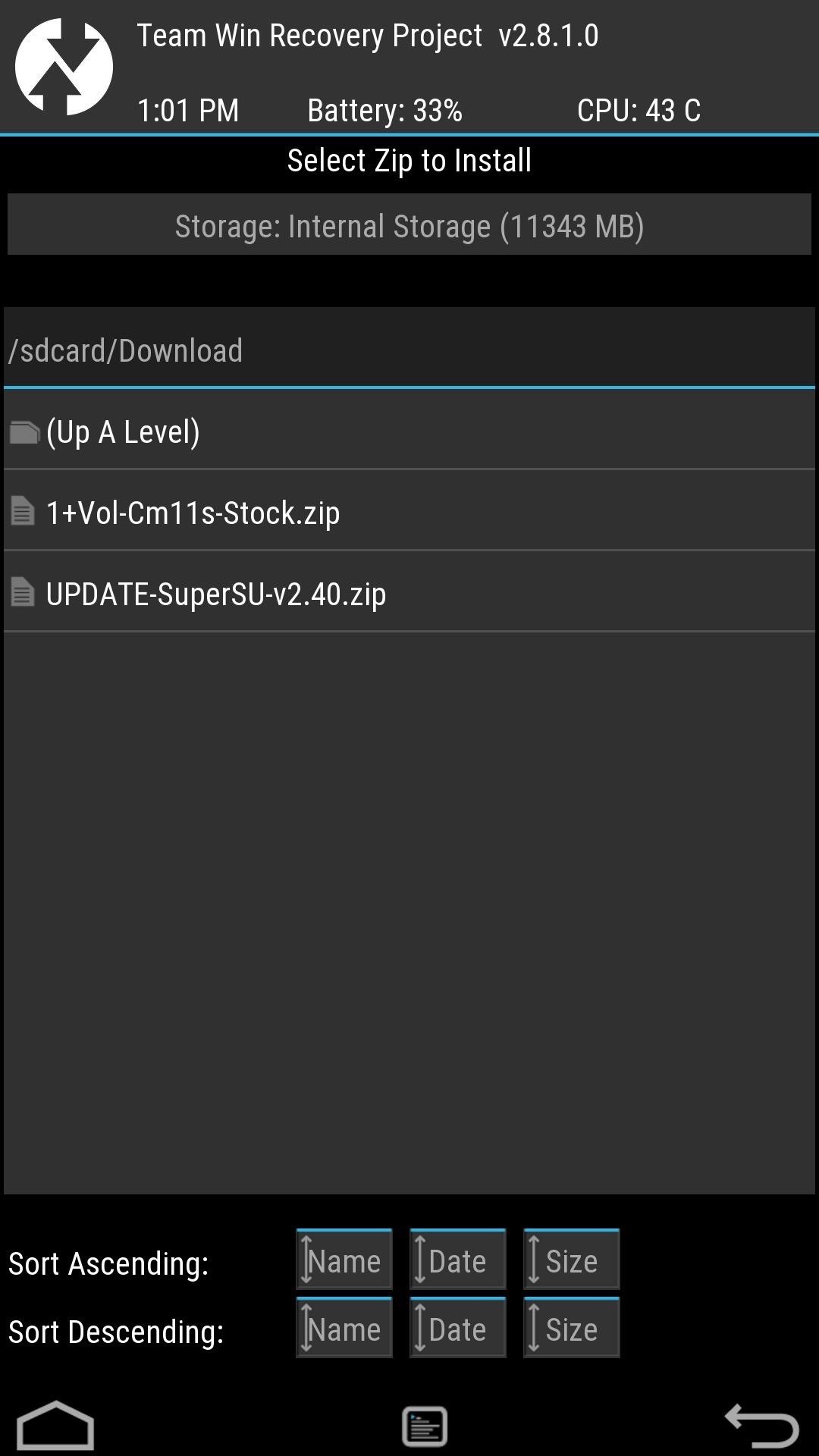
Loud: Headphone and Speakers with Values Set to 92CM11S Download AOSP Download 44S Download After downloading your preferred volume level ZIP, reboot into recovery, select Install -> Downloads, then select the file and Swipe to Confirm Flash. When that's done, select the option to Wipe Cache/Davlik, then Reboot System. Both methods get the job done, but there are two differences. First, manually adjusting your volume level with allow you to raise it higher than the loudest ZIP does, which is 92. Secondly, flashing the ZIP will also raise the built-in speaker volume on your device, which is already pretty damn loud.Keep up with the developer's thread, and whichever method you decide to employ, let us know of any issues, or just let us know how you like it by either commenting below or on our Facebook, Google+, and Twitter feeds.
How to Hack Your Boyfriend's or Husband's WhatsApp Easily Using iPad; How to Hack Your Boyfriend's or Husband's WhatsApp Easily Using iPad. How To: The Easier & Better Way to Control, Track, & Locate Your Lost or Stolen Samsung Galaxy S3 Remotely1 Answer 110 Jan 2013 .. If you've ever lost, or had your phone stolen, you know how difficult it can ..
How to Trigger Anything from Anywhere with Just a Phone Call
Make the holes about 2 centimeters (0.75 inches) apart in a grid pattern on the board. You should be able to fit a pencil through the holes, but not much more. If you have serious overheating problems, drill the holes closer together. You will also need to buy fans and plug them into each hole.
Researchers provide a chill to fan-cooled PCs | Computerworld
Google GPS surprise. Also announced here, during a joint Verizon and Motorola press event, is Google's 3D Maps Navigation application which will be available first on the Android 2.0 OS. The mobile application is a hybrid GPS and Internet-based system. When using the GPS system it has the ability to do some slick tricks.
Google Navigation/Maps App = poop - Motorola Droid | Android
Also, with CMTE, it was essential for the user to reboot their device, whereas upon using full Substratum mode, one can dynamically theme their device without the need to reboot. Furthermore, CMTE as a project has been left out ever since Android Nougat, while Substratum's development continues to grow.
How to Theme your Android Device With Substratum
Step 6: Change the Background Color of Your GIF. If your GIF doesn't fill out the entire frame, or if you simply chose not to resize it, you'll see borders around the image when you set it as your background. There are two ways to change the color of these borders. One, you can tap the dropper icon in the top of the screen.
If you type 'smartwatch' into the search box on Amazon, amongst the Moto 360s and Sony SmartWatch 3s you'll see a load of results for cheap, budget smartwatches from manufacturers you've probably
Change the mood of any user on Facebook who has the Moods application installed all you need is their user id and a few tools.
Hack the Moods Application - YouTube
It has 3 pictures of a thin, blonde woman in lingerie with a gun, and half naked with jeans. You can't see the face at all but I believe it's very possible these could be pics of sp. I did a Google search for each of the photos to the best of my knowledge on how to do that on mobile and nothing came up meaning these aren't stock photos.
Gooby (2009) - Gooby (2009) - User Reviews - IMDb
Feel like you aren't getting the best picture from your shiny new TV? Want to make sure you're watching movies as they were intended to be seen? Here's what you need to know about HDTV picture quality, and how to adjust your set for the best image.
LG 32GK850F Review | PC Monitors
How To: Jailbreak Your iPhone 3G/3GS (3.0.1 Firmware)
Step 2: Choose Your Wallpaper. Chromecast Wallpapers presents the beautiful images in a tidy list view. Scroll up or down to view all of the pictures in a particular group, or swipe left and right to view more lists.
How to Get Chromecast Wallpapers on PC and Android


0 comments:
Post a Comment