How To: Check Your iPhone for 32-Bit Apps That Won't Work in iOS 11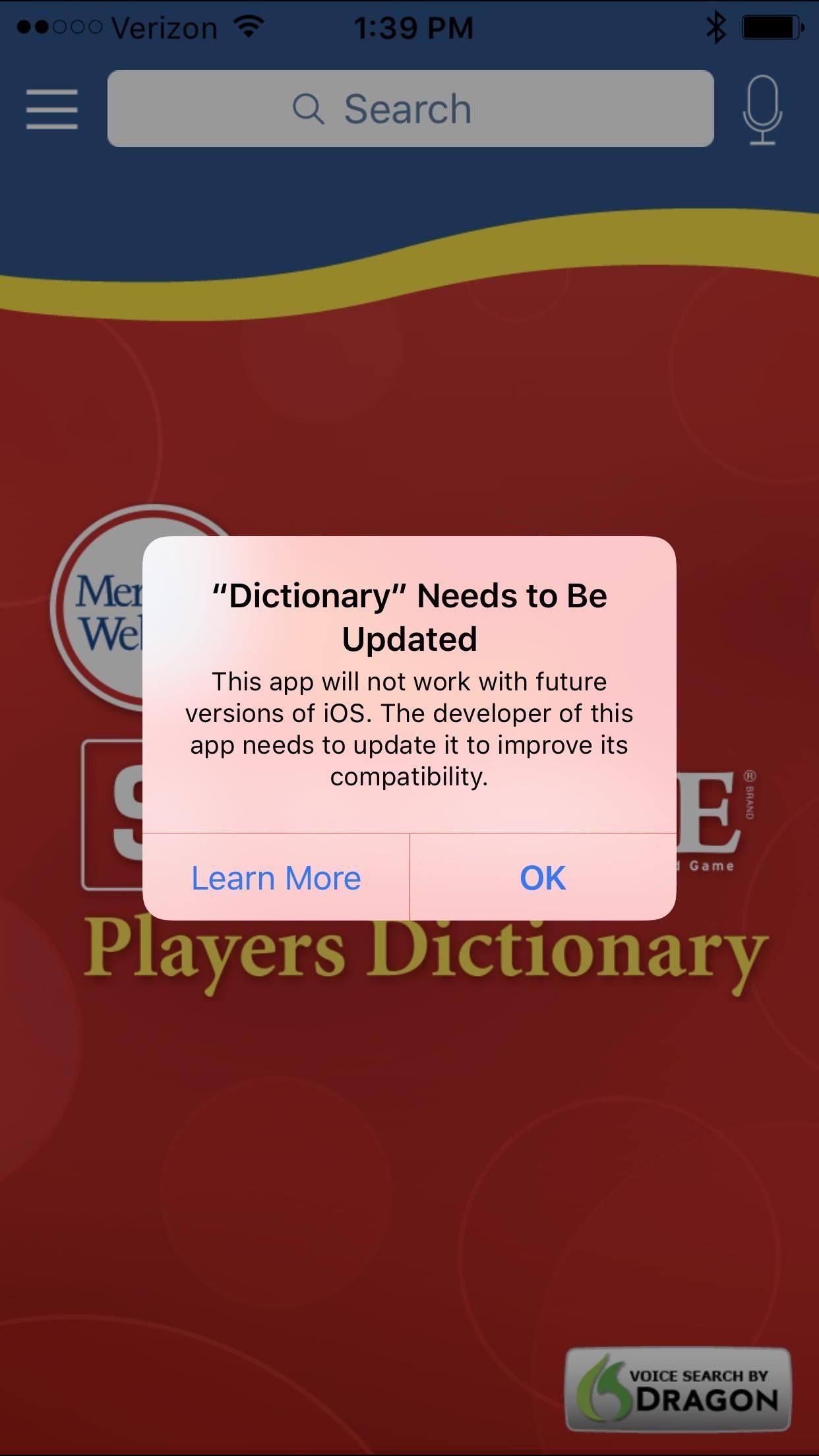
Apple has removed support for older 32-bit applications in the new iOS 11, which was to be expected after the 10.3 update added the ability to detect apps that are still running 32-bit processes on your iPad, iPhone, or iPod touch. Apple even excluded restore images for 32-bit devices such as the iPhone 5 and iPad (4th gen) in the iOS 10.3.2 beta 1 update for developers, so this shouldn't be a surprise.The shift has been a long time coming, with the introduction of the iPhone 5s back in 2013, which used a 64-bit A7 processor. Since then, Apple has warned app developers of its eventual move away from 32-bit architecture, but as many as 187,000 apps still aren't updated and will stop working in iOS 11.Don't Miss: How to Download iOS 11 Beta on Your iPhone Right NowIn iOS 10.3, when you try to open a 32-bit app, you'll get the message: "This app will not work with future versions of iOS. The developer of this app needs to update it to improve its compatibility." You'll still be able to use the app (if it even works because it's so old), but in iOS 11, it won't even open the app. The message will read: "The developer of this app needs to update it to work with iOS 11." The iOS 10.3 warning (left, middle) and the iOS 11 one (right). Thankfully, there's a hidden tool in iOS 10.3 and higher that lets you find all of the 32-bit apps on your device. So before your favorite apps become obsolete (or if they already are), I'll show you how to see which ones are outdated, and even how to contact the developer to get them to update their apps to the new 64-bit architecture.Don't Miss: All the Cool New Features in iOS 10.3 for iPad, iPhone & iPod Touch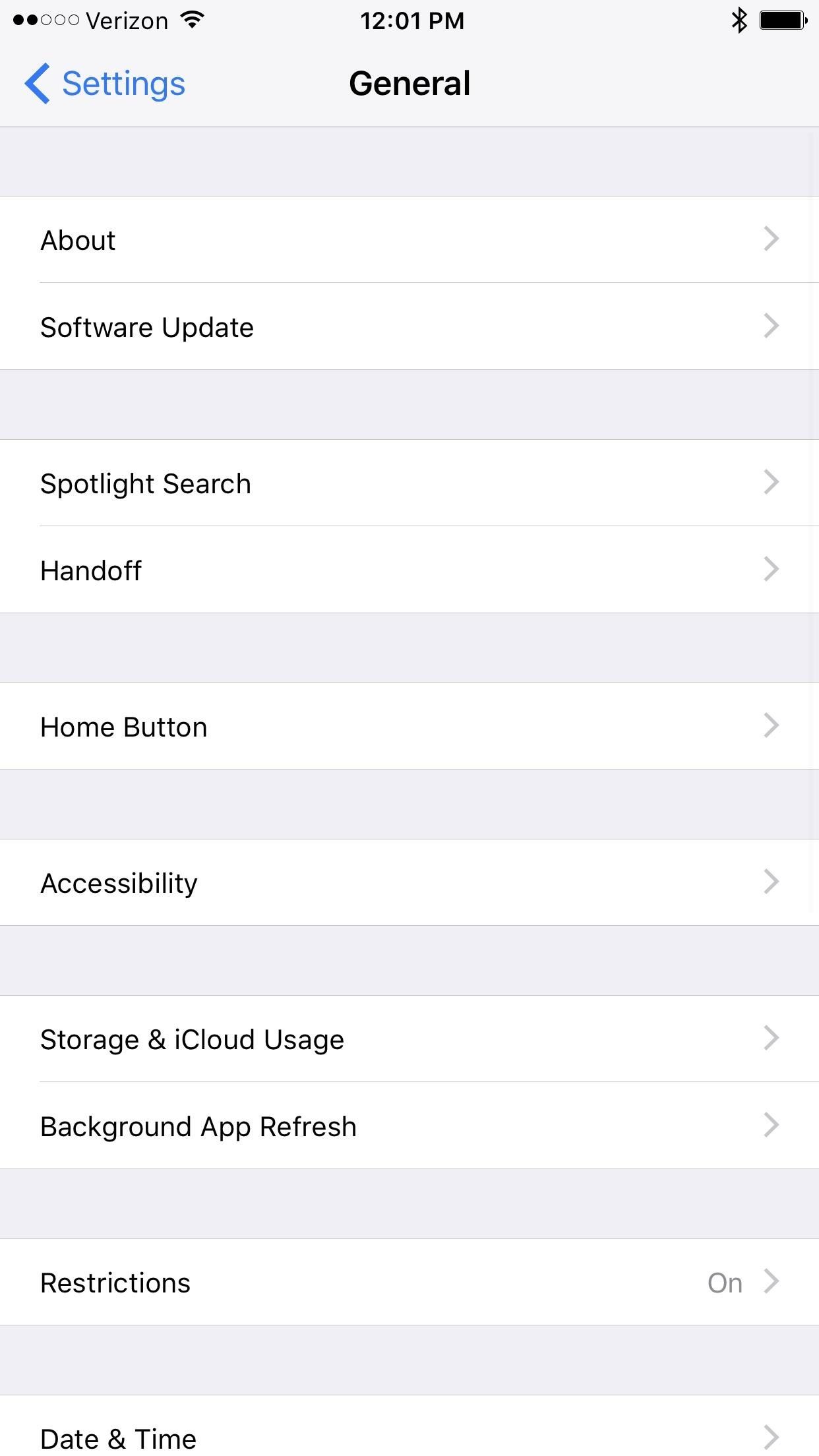
Step 1: Check for 32-Bit ApplicationsiOS 10.3 has made it easy to check for any outdated 32-bit apps. Simply head to the "General" menu in Settings, then tap "About," and choose "Applications." A list of outdated apps should now automatically show up to give you notice.If you can't tap on "Applications," and don't see an arrow next to it, that means you don't have any 32-bit apps and don't need to worry about anything right now. Lucky you.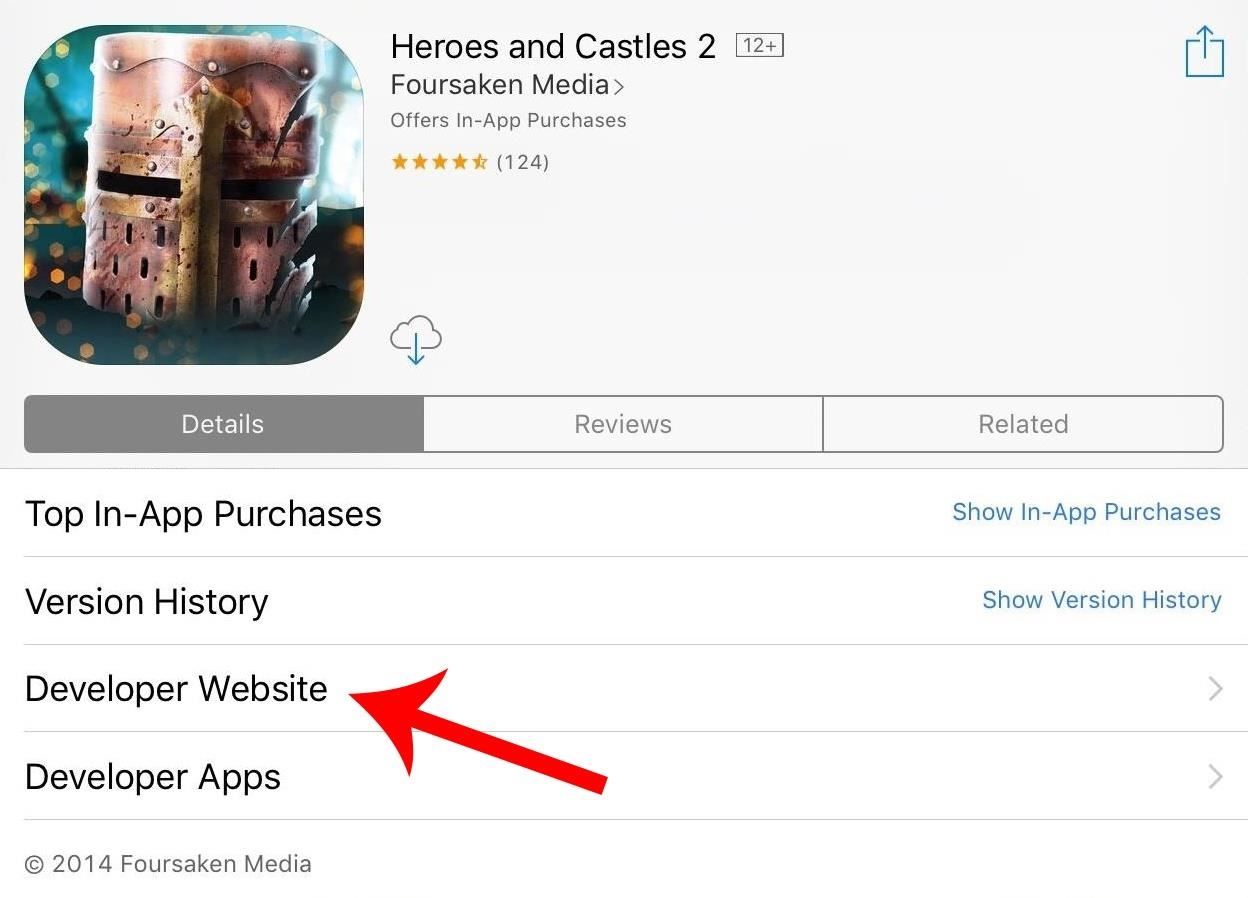
Step 2: Contact the DeveloperIf you have 32-bit apps installed that are really important to you, contact the developer right away to see if there's an update in the works. To reach out to an app developer, simply go to the offending app's page on the App Store by tapping on the app name in the 32-bit list, then tap on Developer Website. From there, go to their contacts link and leave them a message. If the app is no longer in the App Store, however, you may be out of luck, and will have to hunt them down on the web to try and get an answer. If you are able to reach a particular app's developer, wait for confirmation. Until then, if you haven't already updated to iOS 11, you might want to refrain from updating past the latest iOS 10 version, which would prevent the loss of that app's functionality. However, refusing an update can leave your device vulnerable to security exploits, so weigh the risks against the benefits. If all of the 32-bit apps on your device are no longer in the App Store, chances are none of them are really working as they should right now anyway.
Light at the End of the TunnelAll hope is not lost for 32-bit app lovers, as apps that are not optimized for 64-bit will still likely work with older iPads and iPhones whose firmware versions max out at or below iOS 10.3. The iPad 2 and iPad mini (1st generation), for example, will only go up to iOS 9.3.5. The iPhone 5 and 5c, the last 32-bit phones made by Apple, are not included in the iOS 11 update.Change is constant, and it's ultimately to everyone's benefit that Apple completely moves away from 32-bit to focus solely on 64-bit. It'll make it easier for Apple to secure its ecosystem and streamline performance. Letting go of the burden of maintaining the old operating system will also free Apple's resources up for further innovation, and this cycle will someday start anew with the dawn of the 128-bit era.Follow Gadget Hacks on Facebook, Twitter, Google+, and YouTube Follow Apple Hacks on Facebook, Twitter, and Pinterest Follow WonderHowTo on Facebook, Twitter, Pinterest, and Google+
Cover image and screenshots by Amboy Manalo/Gadget Hacks
Oneplus 5T comes with facial recognition technology, 6.01 Inch Bezel-less display and an improved camera with f/1.7 aperture for low light
Report Ad
Low Cost, High Quality Chargers for Every Device Imaginable. All on Sale.
It's Raining Sweets and Treats! How to Make Your Own
Report Ad
Genealogical Database About Quebec. Marriages. Become A Member Now!
News: iOS 11.2 Released to the Masses with Bug Fixes, Apple Pay Cash & More New Features How To: Use Apple Pay with Face ID on Your iPhone X, X S, X S Max, or X R; News: Apple Just Released iOS 12.3 Developer Beta 2 Today, Includes Date & Time Features & Updates to Wallet Transactions
All the New Apple TV Features in iOS 12.3 for iPhone « iOS
Google Docs brings your documents to life with smart editing and styling tools to help you easily format text and paragraphs. Choose from hundreds of fonts, add links, images, and drawings.
Is there a way to edit css of new google forms? - Stack Overflow
How To: Boost Camera Resolution & Photo Quality on Your OnePlus 5 or 5T with 1 Simple Mod News: 10 Photography Tips for Mastering Your Camera Phone News: Everything You Need to Know About the OnePlus 7 Pro News: OnePlus 5 Takes a Page from the iPhone 7 Plus with Dual Cameras
OnePlus 7 Pro review: Camera, image quality - gsmarena.com
Netflix, Hulu Plus, and Amazon Prime all advertise a huge selection of streaming movies and shows - but which gives you the best bang for your buck? Comparing On-Demand Streaming Media Providers On-demand streaming media equals convenience and affordable entertainment.
Netflix, Amazon, Hulu: What streaming services should you
How To: Pimp your toy helicopter with a spy camera How To: Set up a Canon digital camera as a webcam for digital chat How To: Install Super Mario on your TI-84 calculator How To: Make a sneaky, snake spy camera that records video
How to Set up and modify a remote control helicopter « Remote
How to Transfer Photos from iPhone to iPad. This wikiHow teaches you how to make photos on your iPhone also available on your iPad. Open your iPhone's Settings. It's a gray app that contains gears (⚙️) and is typically located on your home
The Facebook Spy App tips which you can make use of it. You can able to find a lot of spy application that is available from that here are few of the best spy application that can able to help you to hack your information. They are as follows. PhoneSpector it acts as best spy software that is used for monitoring up all the facebook messenger
How to hack Facebook 2019, free, easy online and without programs
LG V30 vs Galaxy S8 price and release date - Which should I buy? That's an impossible question to answer right now. The Samsung Galaxy S8 has already proved to us that it's one of the year
Use an HDMI cable to connect your TV to the adapter and then plug the adapter into your iOS device. Switch the input on your TV to whatever HDMI port the cable is plugged into and you'll be seeing your iPad or iPhone on the TV right away. Whatever photos, videos, or other content you see on your device will show up on your TV, too.
Play Your Music Wirelessly On ANY Home Stereo - YouTube


0 comments:
Post a Comment