Firefox Mobile 101: Add New Functionality to Your Browser with Extensions
Features like themes and a tab queue make Firefox an extremely versatile mobile browser. Mozilla is constantly adding bonus functionality like this to Firefox, but a long-time staple is perhaps the most powerful feature: Extensions. This system gives you the ability to add features without having to upgrade the entire app.To be clear, extensions are only available in the mobile version of Firefox if you're running Android — but if you are, it's really easy to add new functionality to your browser. Extensions range from ad blockers to video plugins, so there's one for virtually every need. No other browser on the Play Store has such a vast collection of add-ons, which really puts Firefox for Android in a league of its own.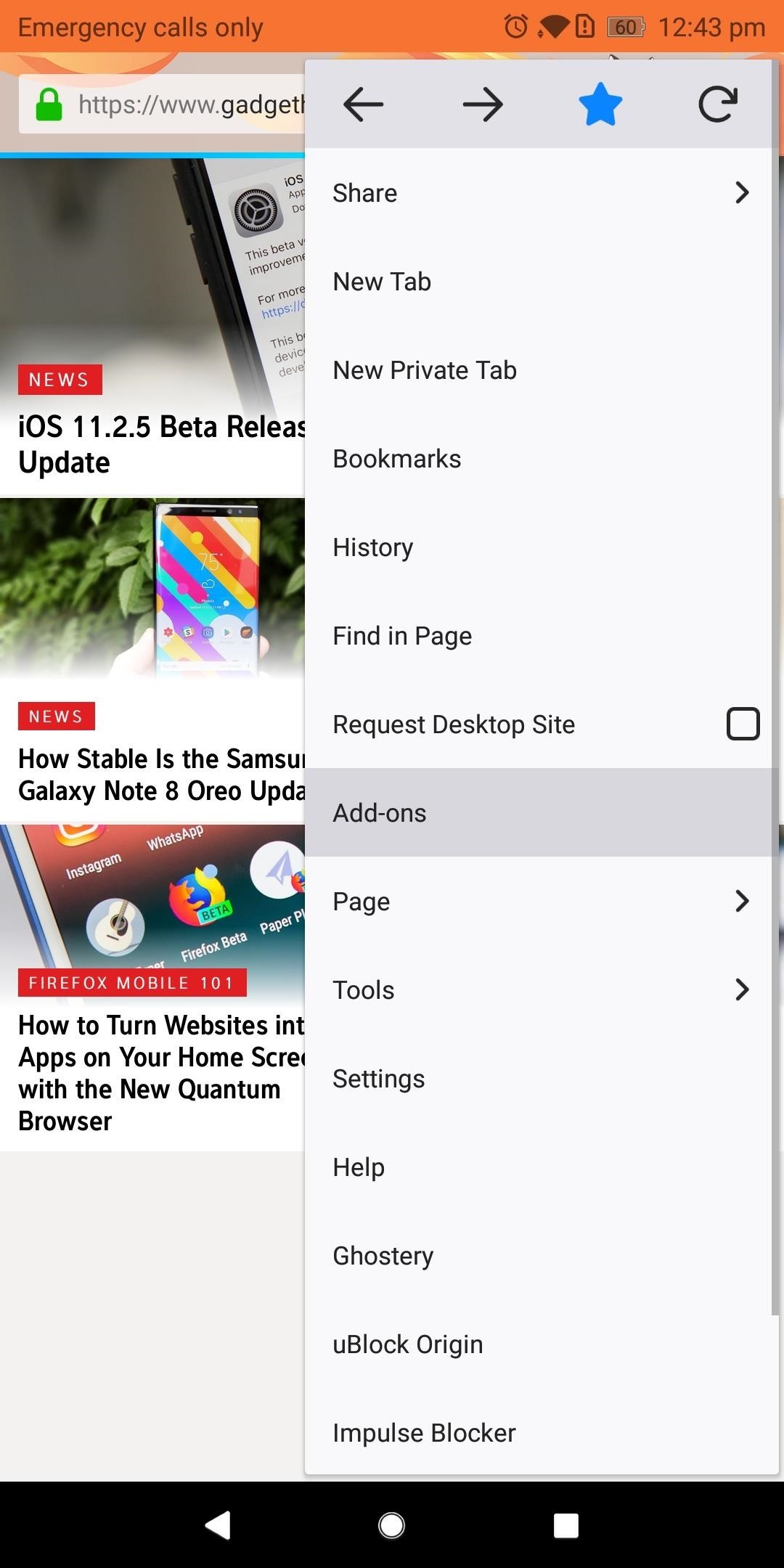
Step 1: Find New ExtensionsTo see what kind of functionality you can add to Firefox for Android, start by tapping the three vertical dots in the upper-right corner of the app's main screen. Choose "Add-ons," then "Browse all Firefox Add-ons" near the bottom of your display. Select the Extensions tab located towards the top of the next page underneath the Firefox Add-ons label. Here you'll find the collection of extensions available on Firefox for Android. Select "Explore all categories" to see a list of all the different types of extensions available. Alternatively, you can use the search field at the top of this screen to find a specific extension.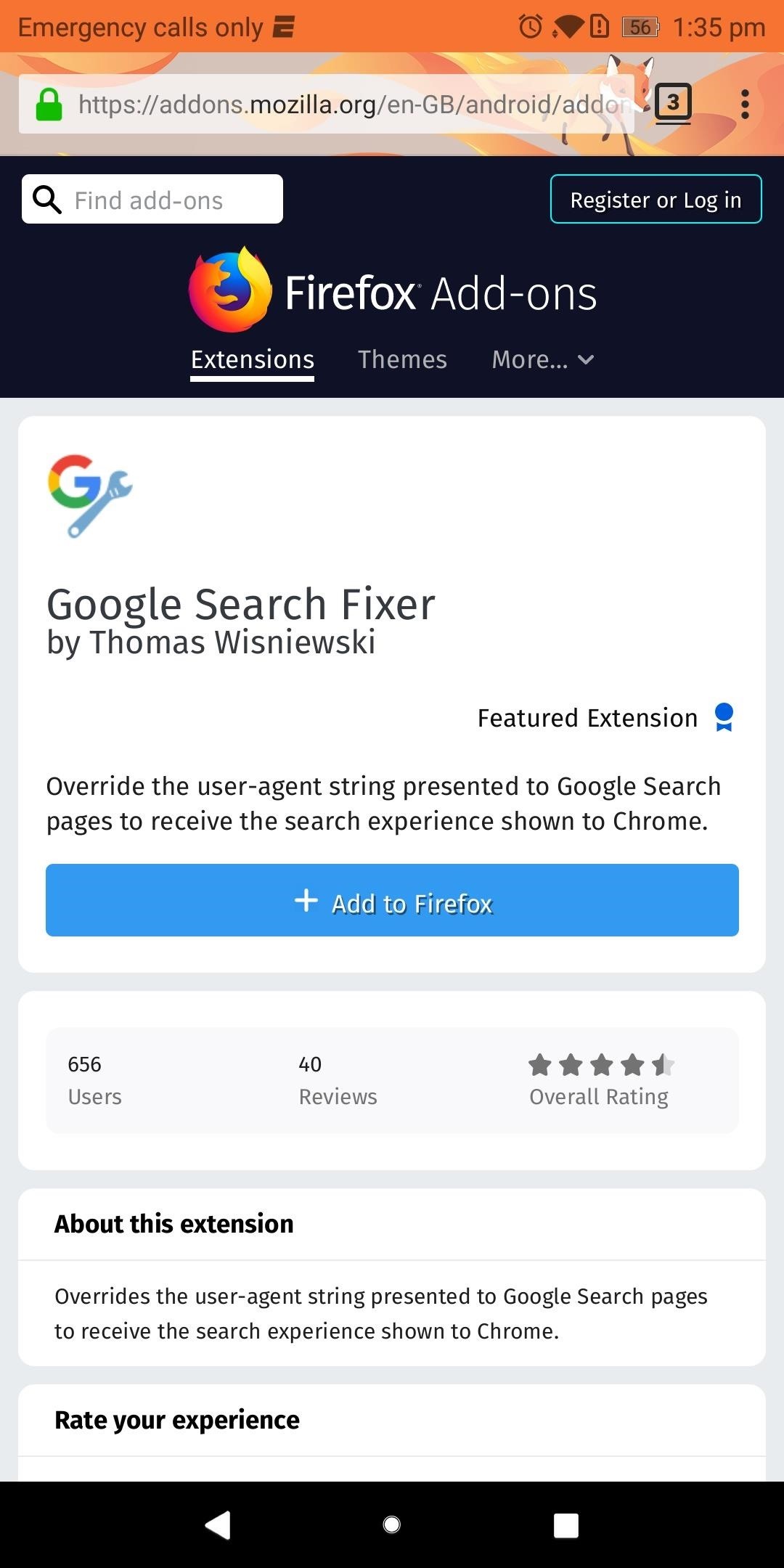
Step 2: Install Your First ExtensionOnce you've found an extension that interests you, go ahead and select it from the list. Next, you'll be provided with valuable information, such as the extension's creator, overall rating, number of downloads, and general description. As you would when installing a new app, use this information to conduct due diligence on the extension you wish to install.When you're sure the extension is right for you, select "Add to Firefox," then chose "Add" on the pop-up menu.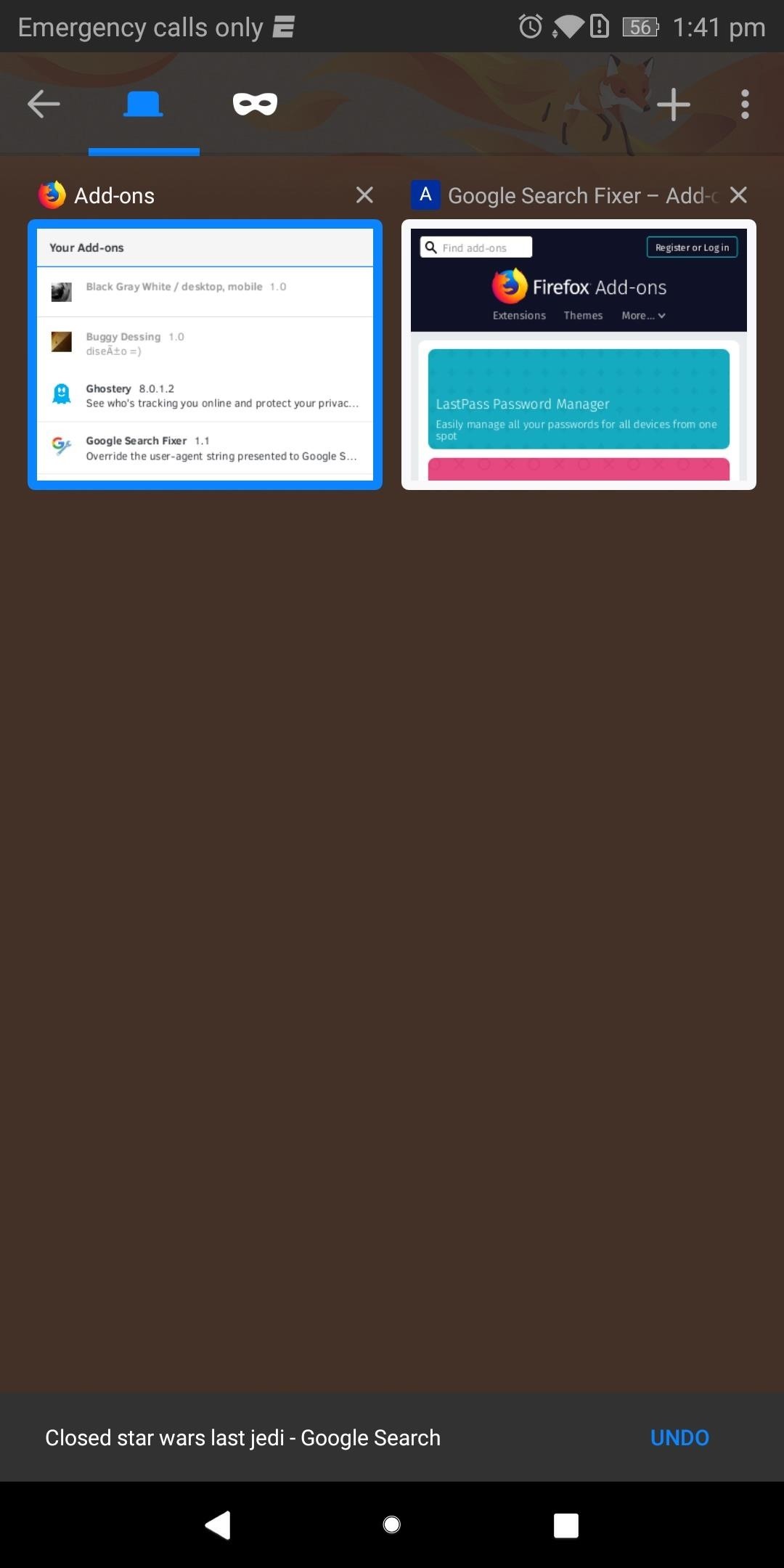
Step 3: Verify the Extension Was Properly InstalledIf you want to make sure the extension is working as intended, start by selecting the square icon located to the right of the URL to display all tabs. Select the Add-ons and locate the extension you just installed.As an example, we installed "Google Search Fixer" to get Chrome's Google search experience on Firefox. This extension should be found within the Add-ons tab and shouldn't be grayed out (which would indicate the extension is disabled or incompatible with this version of Firefox). As long as your extension meets these two requirements, it was successfully installed. Verifying that the extension actually changed what it was supposed to change isn't always possible since some extensions' features aren't very obvious. But in our example, we can easily display the effects of "Google Search Fixer."Navigate to Google.com and conduct a search. It should display the search results differently, presenting the webpage in a fashion similar to Google Chrome. Select the square icon next to the URL and choose Add-ons. Select the square icon (shown here with the number "2" inside) to navigate between tabs. Select "Google Search Fixer" and choose "Disable" to turn off the extension. Use the square icon to navigate back to your search results and reload the page. The results should look different, with smaller text and fewer animations. As you can see, "Google Search Fixer" is doing exactly what it's supposed to do. After performing this test, enable the extension again and enjoy. Extensions are a great way to add features to your browser, and since Firefox is open-source, add-ons can come from any users. This allows for truly unique extensions that address niche needs normally ignored by large developers. Which extensions have you installed so far? Let us know in the comments below.Don't Miss: 3 Reasons Firefox Quantum is the Best Browser for AndroidFollow Gadget Hacks on Facebook, Twitter, YouTube, and Flipboard Follow WonderHowTo on Facebook, Twitter, Pinterest, and Flipboard
Cover image and screenshots by Jon Knight/Gadget Hacks
Get free internet or free cell phone service. Service plans start at $0.00/month. Find cheap mobile wifi hotspots, smart phones, SIM-only service, tablets, and more!
Is FreedomPop Legit? Here's How to Get a Free WiFi Hotspot
By Android Terminal I assume you mean a terminal emulator running on an Android device. Android at its core is a Linux operating system, so it supports all functionality that Linux has to offer.
How to Hack an Android phone: Beginner guide to Advance
[Solved] Fix: App Store Not Working on iPhone iPad in iOS 12
The slots allow you to position the electric motor at slightly different distances from the stationary gasoline engine, which allows you to tighten or loosen the tension on the fan belt between the two. Position the electric motor so the fan belt feels tight and then secure the motor in place with four 1 1/2-inch bolts with lock washers and nuts.
How Do Electric Fans Work? | Reference.com
How to Make a Pen Gun With a Trigger. Making a simple gun out of a pen and a few other items can be fun. You can shoot small projectiles out of it, such as the ink cartridge, skewers, or even matches.
Gun Pens Sold Direct on eBay | Fantastic Prices on Gun Pens
AD
If You Use Snapchat, Don't Jailbreak Your iPhone « iOS
With 16 megapixels and optical image stabilization technology, it's safe to say that the Samsung Galaxy S6 is well-equipped to take badass pictures. Packed with additional camera modes, like Panorama, Selective focus, and Virtual shot, there's always a way to capture an image as intended.
How to download and install additional Galaxy S7 camera modes
Measure Distance / Area on Google Maps. Select a location by clicking on the map or by using the the search box. This will set the first marker. Click on the map again or enter another search to set the second marker.
Measure Distance Google Maps Plus Measure - estekhdamsho.me
How To Fix the Broken iOS 11 Calculator In Iphone x - In the event that you've refreshed to iOS 11.1, regardless of whether you have an iPhone X or an iPhone 5S, you'll see that Apple's Calculator application can't stay aware of your counts.
How to fix a broken iOS 10 update that's bricked your iPhone
If you've just ditched your Android phone for a new iPhone, you're in luck, because Apple has a way to make your transition as simple as possible with their Move to iOS app for Android. To help make things even easier on you, we've outlined the process of using Move to iOS to transfer images
How to transfer everything from iPhone to Android | AndroidPIT
Apple added a "Drag and Drop" feature to iPads in iOS 11, but your iPhone can do a little of the magic, too.It's just not so obvious. While you can't drag and drop items from one app to another like you can on an iPad using Split View and Slide Over, you can move things around in certain stock applications.
How To Drag And Drop Files on iPhone and iPad in iOS 11
How to Make Your Own Diary. Keeping a diary is a great way to record your thoughts, relieve stress, and keep track of events in your life over time. Making your own diary from scratch is a fun way to make it unique and personal to you.
Diaro - Diary, Journal, Notes, Mood Tracker - Apps on Google Play


0 comments:
Post a Comment