How To: Re-Enable Copy & Paste on Annoying Sites That Block It
Copy and paste keyboard shortcuts are beautiful gifts from the gods, and any website that blocks such an offering can burn in hell. But really, Cmd+C and Cmd+V (Ctrl+C and Ctrl+V for Windows folks) are second nature to most of us, so it's very frustrating when sites like PayPal don't let us use them.Thankfully, if you're a Firefox user, you can permanently enable copy/paste and never have to deal with this inconvenience again.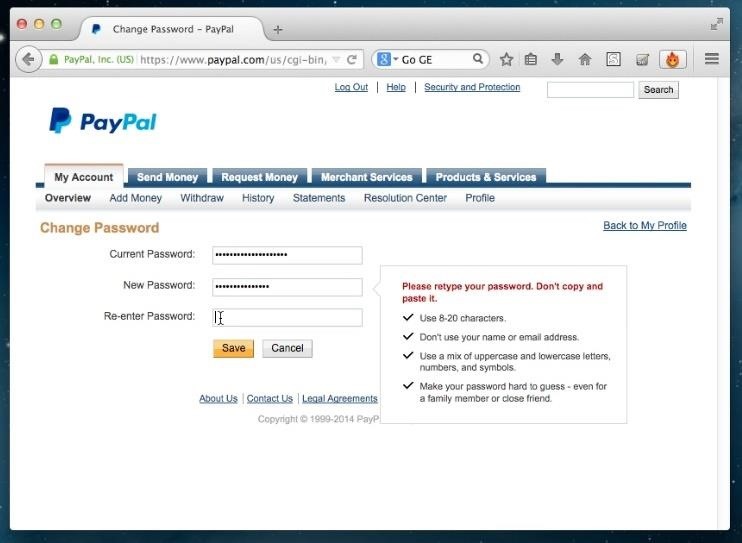
Why Block Copy & Paste Anyway?For security purposes, many financial and banking sites block your ability to copy/paste. For example, when I change my password on PayPal and try to paste my new password into the "re-enter" box, PayPal flashes a warning saying, "Please retype your password. Don't copy and paste it." Cool, I get it. PayPal wants us to be absolutely positive we know our password. However, if you're creating strong unbreakable passwords or entering long strings of numbers, it can get really annoying—really fast.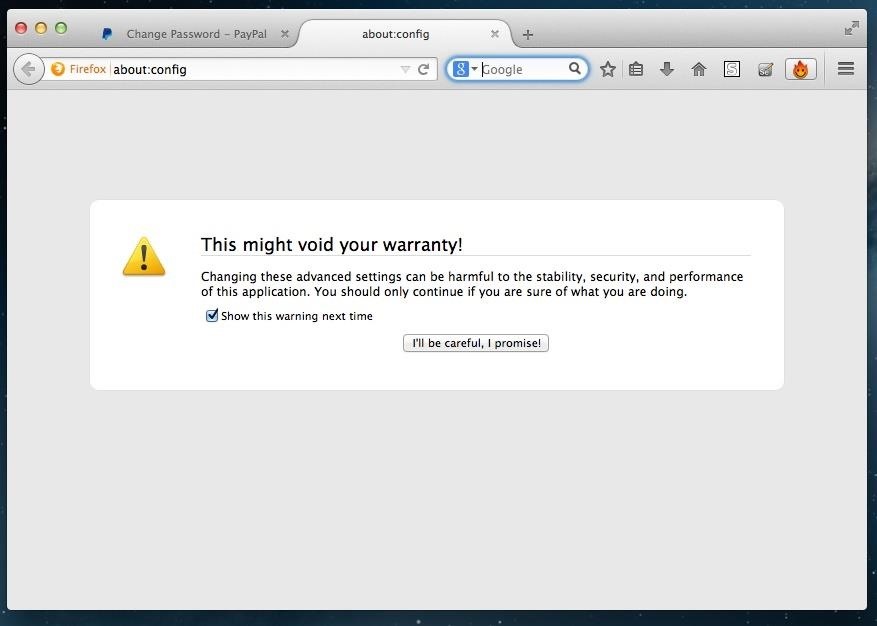
Step 1: Access Firefox's "About:Config" FeatureThere are a number of "secret" Firefox application settings that aren't available to you under Options or Preferences. Although they're held in the prefs.js and user.js files of Firefox's package contents, you can easily view them on your browser by typing about:config into the address bar. Since modifying these advanced configuration settings could potentially jack up your browser, Firefox flashes a little warning asking you to promise to be careful. Just proceed—I know what I'm doing.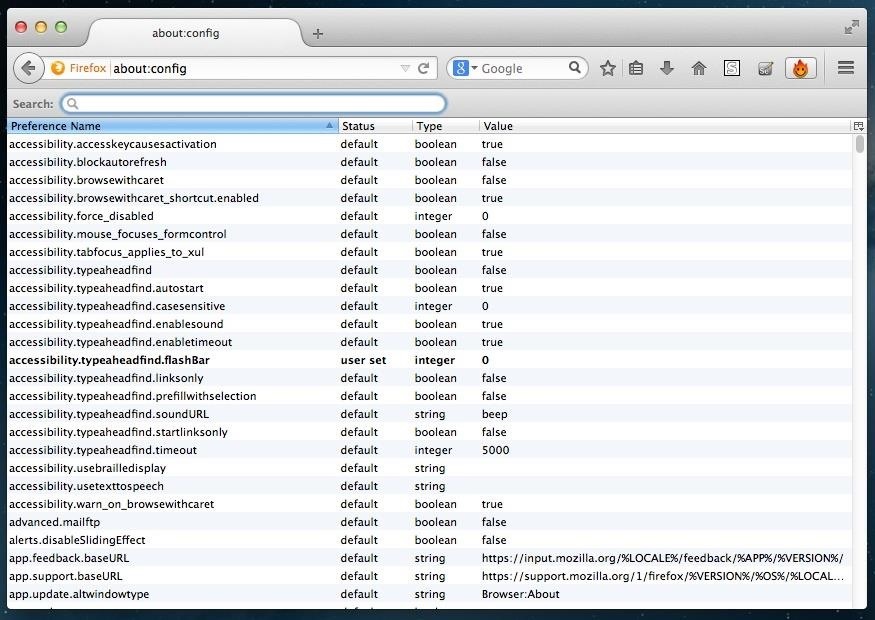
Step 2: Find the Clipboard PreferenceWhen you first enter the about:config settings, you'll notice a list of hundreds of preferences. Don't risk messing anything up and go straight to the target by searching for dom.event.clipboardevents.enabled in the preferences search bar.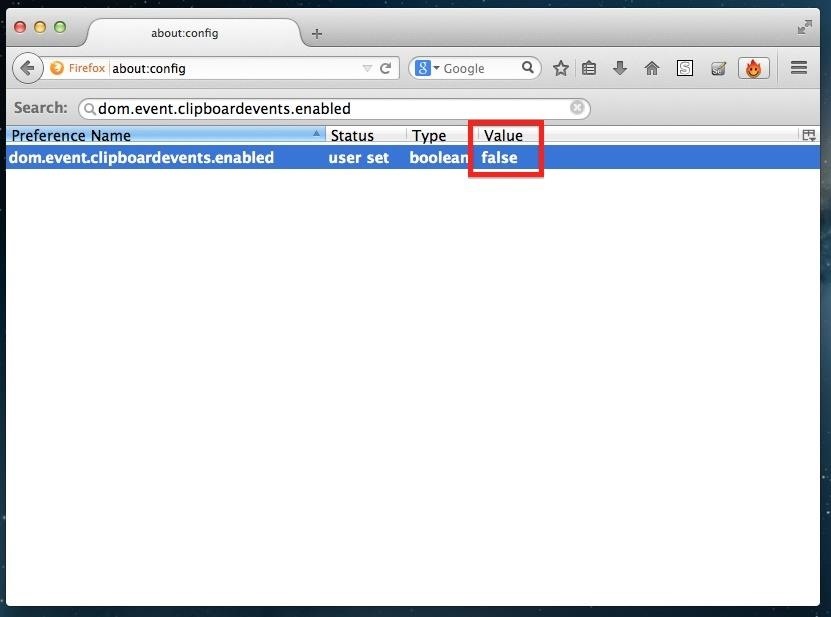
Step 3: Turn the Value to FALSEOnce you've located dom.event.clipboardevents.enabled, simply double-click it and you will see its value change from "true" to "false." By making this value false, you are essentially disabling an enabled line of code that allows sites to mess with your clipboard and block the copy/paste functionality.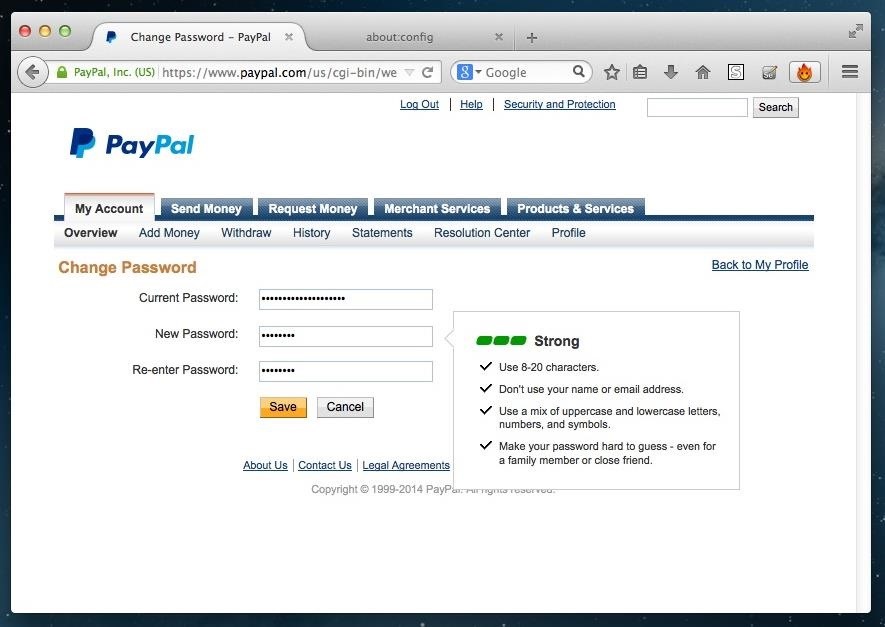
Thats All! Now Copy/Paste Away!As long as that value remains "false," you should never have any issue copying and pasting long passwords, addresses, account numbers, or anything else that we all hate typing out. You can even use this to copy/paste quotes from some our your favorite blogs and news sites that block you from doing so.
Cover image via Shutterstock
How do you recover or reset your admin password? - Joomla
wikiHow is a "wiki," similar to Wikipedia, which means that many of our articles are co-written by multiple authors. To create this article, 42 people, some anonymous, worked to edit and improve it over time.
Everything You Need to Disable in Windows 10 - Gadget Hacks
Rounded rectangle icons are so 2007. Sure iOS 7 tweaked them a bit, but with the clean new approach to design that software is taking today, they're starting to look dated. Today I'm going to show you how to go full circle with your iPhone's icons, and the results are actually pretty awesome. After
Get Circular App Icons & Folders on Your iPhone's Home Screen
iOS 13 Beta. iOS 13 Beta: Early (Developer) and Late (Public) June 2019. For those daring enough to test unfinished versions of iOS, Apple makes beta versions available to developers on the same day as the keynote (which require a Developer Account, which costs $99). Apple has been offering public betas, which are slightly more stable, since 2016.
Neurable Releases Limited Beta SDK for Brain Control
Learning how to edit your Facebook profile can be tricky because the social network keeps changing the layout and options for entering and displaying each user's personal information. Your profile area on the network has a lot of different components.
Add and Edit Your Profile Info | Facebook Help Center | Facebook
How to Split a Large PDF File. You can break up a large PDF into smaller files in a couple different ways. The easiest way is to simply print ranges of pages in your PDF. In our case we split the file up into two 65 page documents (see Figure 7).
Splitting Zip files - WinZip
kb.winzip.com/help/HELP_SPLITDLG.htm
Splitting Zip files. WinZip ® makes it easy to create Zip files (.zip or .zipx) that are split into smaller pieces of a size that you specify. There are several reasons why you might want to do this, such as: To assist with large downloads. Some users may have difficulty downloading very large Zip files from web sites, FTP sites, etc.
How to Send Large Files Over Email
How to Set a Ringtone for an Android Contact: 8 Steps
News: Thanks to Google, iPhone Users Can Finally Pick a New Frame for Their Live Photos How To: Auto-Change Keyboards on Your Samsung Galaxy Note 2 Based on the S Pen's Position News: Samsung Jumps to Head of Mobile AR Class with Galaxy S10 5G & 3D Depth Sensor, Shows Off AR Concept Video
Create "Frame Within a Frame" Photo Effects on Android
How to Take Screenshots on Android Without Pressing Any
The next time you upload photos or videos to your story they will be automatically added to the archive. You can view the archive stories in the same way we viewed archived posts above. Archived stories don't take up space on your phone as the photos and videos are stored on Instagram's server.
How to automatically save your Instagram Stories forever
Convert Slo-Mo Videos to Regular Speed Directly on Your
How To: Make a cheap lightsaber prop from Star Wars How To: Build a perfect replica of a lightsaber for cheap or expensive How To: Build a double bladed Darth Maul lightsaber using hardware store parts for $15 How To: Build a lightsaber prop for film making
How to Make a DIY Lightsaber Lamp - WonderHowTo
Sempre que você quiser conferir a nova interface do Netflix, basta ir até Apps no painel do Xbox e clicar no Netflix. Você também pode usar o Quickplay no painel. Mas a única maneira de visitar a versão antiga do Netflix é indo ao Guia Xbox, Jogos, Quickplay, na guia Todos e clicando na versão "filmstrip".
Kembalikan ke Aplikasi Netflix Lama di Pembaruan Xbox 360


0 comments:
Post a Comment